

Checking this game’s age requirement…
Super Arabian
About this game
Super Arabian is an 8-bit side-scrolling action platformer developed and published by Sunsoft, released for Famicom (NES) on July 25, 1985. It is the home console port of the 1983 arcade game Arabian. Players take the role of Arabian Prince Alabian on a quest to rescue Princess Reia captured by an evil demon. The game contains four main stages: an Arabian sailing ship, dark cave, castle basement and floating demon fortress. To clear each level, you have to gather all magic pots scattered on screen. Pots carry letters, collecting them in the target spelling order grants massive bonus points. Controls include jumping, kicking, crawling and ladder climbing. Kicks knock foes away; kicking multiple enemies at once triggers brief invincibility. A red genie will chase you if you spend too long in a stage. The game supports single player and 2-player turn-based mode, and it is an early classic Middle Eastern themed pixel action game for the Famicom.
- Release year
- 1985
- Developer
- Players
- Single player
- Supported languages
- 简体中文 · 日本語
FAQ
- How can I play Super Arabian?
- You can play Super Arabian online for free right in your browser on 8BitGo. No download or emulator installation is required.
- What platform is Super Arabian?
- 8BitGo classifies this version as NES (Famicom). That describes how it runs here and may differ from the game's original release platform. You can play it directly in the browser.
- Can I save my progress in Super Arabian?
- Save support depends on how this game runs. Quick saves and cloud saves are available only when the player toolbar shows a save control; otherwise use the game's own save feature.
- Does Super Arabian work on mobile?
- It depends on the game. Check the controls on this page: games with on-screen buttons work on touch devices, while keyboard-and-mouse games are best played on desktop.
Controls
These are the default keys. Click the gamepad icon 🎮 in the player toolbar, then “Remap keys” to open the emulator’s own control settings (keyboard and gamepad, saved automatically). Gamepads are detected automatically. On phones you get on-screen buttons.
D-Pad
W S A D
A
K
B
J
Start
Enter
Select
Shift
Quick save
F2
Quick load
F4
You might also like
Same platform, same genre, or from the same developer
 NES
NESHammerin' Harry
 NES
NESHammerin' Harry 2: Dan the Red Strikes Back
 NES
NESSuper Mario Bros.
Contra
 NES
NESSuper Mario Bros.3
 NES
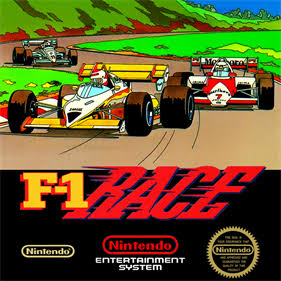
NESF1 Race
 NES
NESTeenage Mutant Ninja Turtles III: The Manhattan Project
 NES
NES