

Checking this game’s age requirement…
Hammerin' Harry
⋯
About this game
Daiku no Gen-san, known internationally as Hammerin' Harry, is a side-scrolling action platform game developed by Irem, released for Famicom (NES) on November 15, 1991. It is the home port of the 1990 arcade game of the same title. Players control the carpenter Gen (Tamura Genzo), wielding a massive wooden mallet to fight against the evil construction company Kuromokugumi and protect his hometown Burameme Town. The mallet serves multiple functions: smash enemies directly, strike the ground to release shockwaves, hold upward to block projectiles like an umbrella, or hold down for defense. Break wooden crates scattered across stages to collect powerups including rice ball health restore, safety helmet shield and jump boost, alongside poison items that reduce HP. Levels take place in town streets, construction sites, sewers, ships and the headquarters of Kuromokugumi. A whack-a-mole bonus stage unlocks after clearing every main level. It features cartoon art style and goofy sound effects with humorous enemy and boss designs. This classic Famicom action game was misnamed Nekketsu Hantou on some pirate cartridges in China.
Contributors
No contributors recorded yet.
💡 Guides
✎ Write a guideNo guides yet
You might also like
Same platform, same genre, or from the same developer
 NES
Super Arabian
 NES
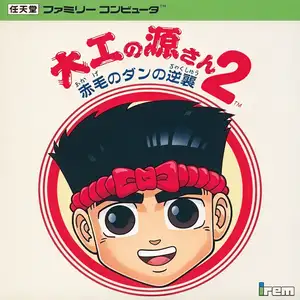
Hammerin' Harry 2: Dan the Red Strikes Back
 NES
Super Mario Bros.
Contra
 NES
Super Mario Bros.3
 NES
F1 Race
 NES
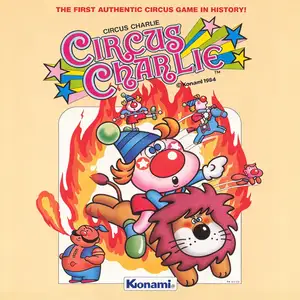
Circus Charlie
 NES
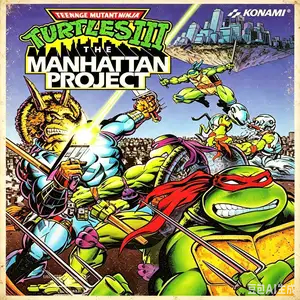
Teenage Mutant Ninja Turtles III: The Manhattan Project
FAQ
- How can I play Hammerin' Harry?
- You can play Hammerin' Harry online for free right in your browser on 8BitGo. No download or emulator installation is required.
- What platform is Hammerin' Harry?
- 8BitGo classifies this version as NES (Famicom). That describes how it runs here and may differ from the game's original release platform. You can play it directly in the browser.
- Can I save my progress in Hammerin' Harry?
- Save support depends on how this game runs. Quick saves and cloud saves are available only when the player toolbar shows a save control; otherwise use the game's own save feature.
- Does Hammerin' Harry work on mobile?
- It depends on the game. Check the controls on this page: games with on-screen buttons work on touch devices, while keyboard-and-mouse games are best played on desktop.
Controls
These are the default keys. Click the gamepad icon 🎮 in the player toolbar, then “Remap keys” to open the emulator’s own control settings (keyboard and gamepad, saved automatically). Gamepads are detected automatically. On phones you get on-screen buttons.
1P
D-Pad
W S A D
A
K
B
J
Start
Enter
Select
Shift
Turbo A
I
Turbo B
U
Quick save
F2
Quick load
F4
2P
D-Pad
Numpad 8 2 4 6
A
Numpad 7
B
Numpad 9
Start
Numpad 1
Select
Numpad 3
2P uses the numeric keypad with NumLock on; a second gamepad becomes 2P automatically. No numpad? Open 🎮 → Remap keys, switch to Player 2 and pick other keys.