Checking this game’s age requirement…
Teenage Mutant Ninja Turtles III: The Manhattan Project
About this game
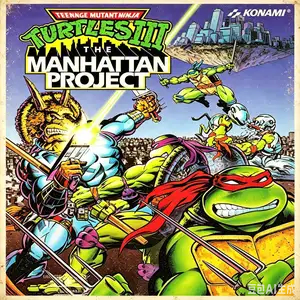
Teenage Mutant Ninja Turtles III: The Manhattan Project is an original NES‑exclusive beat‑em‑up released by Konami 1991‑1992, widely regarded as the peak of TMNT NES series. Its Japanese release was titled *Teenage Mutant Ninja Turtles 2: The Manhattan Project*, due to separate naming of the first game in Japan. Shredder lifts Manhattan into the sky and kidnaps April O’Neil. Two‑player co‑op is available with friendly‑fire toggle. Each turtle has unique special moves costing one health point, which can be spammed when down to one HP. It features eight stages across beaches, skyscrapers and alien fortresses, with top‑tier sprite art and soundtrack for the Famicom hardware. It includes anti‑piracy code: pirated cartridges reduce player damage, increase incoming damage and make certain bosses unbeatable. Original ROM runs on NES emulators.
- Release year
- 1992
- Developer
- Players
- Single player
- Supported languages
- 简体中文 · English · Español
FAQ
- How can I play Teenage Mutant Ninja Turtles III: The Manhattan Project?
- You can play Teenage Mutant Ninja Turtles III: The Manhattan Project online for free right in your browser on 8BitGo. No download or emulator installation is required.
- What platform is Teenage Mutant Ninja Turtles III: The Manhattan Project?
- 8BitGo classifies this version as NES (Famicom). That describes how it runs here and may differ from the game's original release platform. You can play it directly in the browser.
- Can I save my progress in Teenage Mutant Ninja Turtles III: The Manhattan Project?
- Save support depends on how this game runs. Quick saves and cloud saves are available only when the player toolbar shows a save control; otherwise use the game's own save feature.
- Does Teenage Mutant Ninja Turtles III: The Manhattan Project work on mobile?
- It depends on the game. Check the controls on this page: games with on-screen buttons work on touch devices, while keyboard-and-mouse games are best played on desktop.
Controls
These are the default keys. Click the gamepad icon 🎮 in the player toolbar, then “Remap keys” to open the emulator’s own control settings (keyboard and gamepad, saved automatically). Gamepads are detected automatically. On phones you get on-screen buttons.
D-Pad
W S A D
A
K
B
J
Start
Enter
Select
Shift
Quick save
F2
Quick load
F4
You might also like
Same platform, same genre, or from the same developer