
Checking this game’s age requirement…
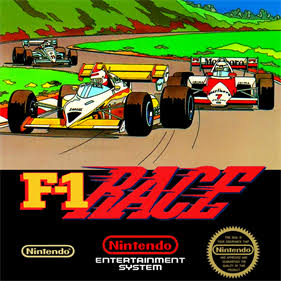
F1 Race
About this game
F1 Race is an early classic racing title developed by HAL Laboratory and published by Nintendo for the NES(Famicom) console, first released in 1984. It is a well‑remembered retro racing game for many 80s and 90s vintage‑game fans. Presented from a third‑person chase camera view, players control an F1 formula race car and compete in time‑limited races across multiple varied circuits. The core gameplay revolves between LOW and HIGH gear shifting. Players use high gear for straight‑way acceleration and switch to low gear on corners to avoid skidding. You must dodge rival race cars and roadside hazards on track. Completing one lap grants extra time, and the race ends once the timer runs out. Three selectable skill difficulties are available, each with five unique tracks featuring day, dusk and night environments. Challenges keep rising as you progress, demanding sharp reflexes and precise gear‑shift timing. The original NES cartridge contains a well‑known bug that blocks progression on certain stages, and bug‑fixed modified ROMs are widely circulated online. A Game Boy port was later released with multiplayer support. Up to now, F1 Race remains a popular retro racing game frequently played on NES emulators.
- Release year
- 1984
- Developer
- Players
- Single player
- Supported languages
- 简体中文 · English
FAQ
- How can I play F1 Race?
- You can play F1 Race online for free right in your browser on 8BitGo. No download or emulator installation is required.
- What platform is F1 Race?
- 8BitGo classifies this version as NES (Famicom). That describes how it runs here and may differ from the game's original release platform. You can play it directly in the browser.
- Can I save my progress in F1 Race?
- Save support depends on how this game runs. Quick saves and cloud saves are available only when the player toolbar shows a save control; otherwise use the game's own save feature.
- Does F1 Race work on mobile?
- It depends on the game. Check the controls on this page: games with on-screen buttons work on touch devices, while keyboard-and-mouse games are best played on desktop.
Controls
These are the default keys. Click the gamepad icon 🎮 in the player toolbar, then “Remap keys” to open the emulator’s own control settings (keyboard and gamepad, saved automatically). Gamepads are detected automatically. On phones you get on-screen buttons.
D-Pad
W S A D
A
K
B
J
Start
Enter
Select
Shift
Quick save
F2
Quick load
F4
You might also like
Same platform, same genre, or from the same developer
 NES
NESSuper Mario Bros.
Contra
 NES
NESSuper Mario Bros.3
 NES
NESTeenage Mutant Ninja Turtles III: The Manhattan Project
 NES
NESCircus Charlie
 NES
NESGomoku Narabe Renju
 NES
NESRoad Fighter
 NES
NES