
Checking this game’s age requirement…
Bomberman II
About this game
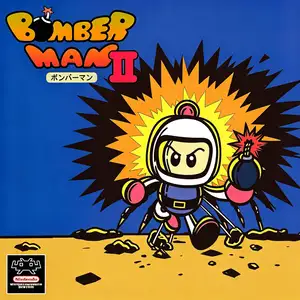
Bomberman II (released as Dynablaster in Europe) is an action maze game developed and published by Hudson Soft for Famicom / NES in 1991, the official sequel to the original Bomberman on FC. The story follows White Bomberman, who is framed for bank robbery by Black Bomberman and sent to prison. Players control White Bomberman to escape jail, travel through prison, forest and cave stages. Place bombs to defeat monsters, break destructible blocks and discover hidden exit in each level, then fight Black Bomberman to clear his name. The single-player campaign includes 48 stages. It keeps classic power-ups for extra bombs, bigger blast range, wall pass and speed boost, plus the new remote bomb detonator item. The biggest upgrade is enhanced multiplayer battle mode supporting up to 3 players in same-screen deathmatch with customizable winning rules, greatly refining Bomberman’s versus gameplay. Password save system is available to resume progress. It features improved pixel graphics and sound over the first game, a classic multiplayer retro title for Famicom.
- Release year
- 1990
- Developer
- Players
- Single player
- Supported languages
- English · 日本語
FAQ
- How can I play Bomberman II?
- You can play Bomberman II online for free right in your browser on 8BitGo. No download or emulator installation is required.
- What platform is Bomberman II?
- 8BitGo classifies this version as NES (Famicom). That describes how it runs here and may differ from the game's original release platform. You can play it directly in the browser.
- Can I save my progress in Bomberman II?
- Save support depends on how this game runs. Quick saves and cloud saves are available only when the player toolbar shows a save control; otherwise use the game's own save feature.
- Does Bomberman II work on mobile?
- It depends on the game. Check the controls on this page: games with on-screen buttons work on touch devices, while keyboard-and-mouse games are best played on desktop.
Controls
These are the default keys. Click the gamepad icon 🎮 in the player toolbar, then “Remap keys” to open the emulator’s own control settings (keyboard and gamepad, saved automatically). Gamepads are detected automatically. On phones you get on-screen buttons.
D-Pad
W S A D
A
K
B
J
Start
Enter
Select
Shift
Quick save
F2
Quick load
F4
You might also like
Same platform, same genre, or from the same developer
 DOS
DOSAge of Empires
 NES
NESSuper Mario Bros.3
 NDS
NDSPlants vs. Zombies
 NES
NESCircus Charlie
 NES
NESGomoku Narabe Renju
 NDS
NDSGrand Theft Auto: Chinatown Wars
 GBA
GBAThe King of Fighters EX: Neo Blood
 ARCADE