
Checking this game’s age requirement…
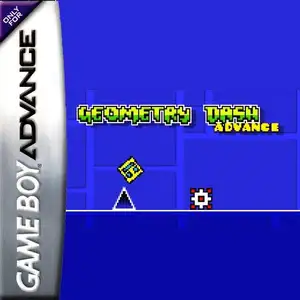
Geometry Dash Advance
About this game
Geometry Dash Advance is a fan-made GBA demake created by AleFunky, not an official Nintendo game. It ports the famous rhythm platformer Geometry Dash to the Game Boy Advance handheld console. The game keeps the core gameplay of the original work. Players control a cube icon that moves forward automatically, press the A button to jump in sync with electronic music beats and dodge spikes, saw blades and other hazards. Hitting any obstacle restarts the level instantly. It features classic auto-scrolling mode and platformer mode with free left-right movement. Portals transform your icon into ship, ball, UFO and other forms with unique physics. It supports practice mode with checkpoints, includes original main levels, many custom user levels and an endless randomly generated mode. Icon customization and music test screen are also available. It uses GBA pixel graphics to recreate the original geometric art style, and it is a popular fan ROM within retro handheld communities.
- Release year
- 1990
- Developer
- Players
- Single player
- Supported languages
- English
FAQ
- How can I play Geometry Dash Advance?
- You can play Geometry Dash Advance online for free right in your browser on 8BitGo. No download or emulator installation is required.
- What platform is Geometry Dash Advance?
- 8BitGo classifies this version as Game Boy Advance. That describes how it runs here and may differ from the game's original release platform. You can play it directly in the browser.
- Can I save my progress in Geometry Dash Advance?
- Save support depends on how this game runs. Quick saves and cloud saves are available only when the player toolbar shows a save control; otherwise use the game's own save feature.
- Does Geometry Dash Advance work on mobile?
- It depends on the game. Check the controls on this page: games with on-screen buttons work on touch devices, while keyboard-and-mouse games are best played on desktop.
Controls
These are the default keys. Click the gamepad icon 🎮 in the player toolbar, then “Remap keys” to open the emulator’s own control settings (keyboard and gamepad, saved automatically). Gamepads are detected automatically. On phones you get on-screen buttons.
D-Pad
W S A D
A
K
B
J
L
Q
R
E
Start
Enter
Select
Shift
Quick save
F2
Quick load
F4
You might also like
Same platform, same genre, or from the same developer
 GBA
GBAGrand Theft Auto:Advance
 GBA
GBASan Goku Shi
 GBA
GBAKirby & The Amazing Mirror
 GBA
GBAThe Legend of Zelda: The Minish Cap
 GBA
GBAThe Legend of Sword and Fairy
 GBA
GBAMario Kart: Super Circuit
 GBA
GBAChobits: Atashi Dake no Hito
 GBA
GBA