
Checking this game’s age requirement…
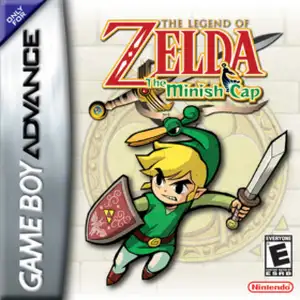
The Legend of Zelda: The Minish Cap
About this game
The Legend of Zelda: The Minish Cap is a top-down action-adventure game for Game Boy Advance, developed by Capcom and published by Nintendo, released in 2004. It is a mainline Zelda title and serves as the prequel to Four Swords. Set in Hyrule, during the Picori Festival, the wind sorcerer Vaati turns Princess Zelda into stone. Link obtains Ezlo, a sentient magical cap that grants him the power to shrink down to the tiny Minish people’s size, and embarks on a quest to reforge the Picori Blade and rescue Zelda. The core gameplay gimmick is size shifting: ordinary grass and pots become massive forests and ruins when Link shrinks. It introduces the Kinstone fusion system, combining stone fragments to unlock secrets and hidden paths. Players gain diverse items including Mole Mitts, Gust Jar and Cane of Pacci, paired with clever dungeon puzzles and creative boss fights. It features beautiful hand-drawn pixel art and in-game save function. High-quality fan Chinese translation patch exists. Widely regarded as one of the best 2D action-adventure games on GBA, it was later added to Nintendo Switch Online GBA library.
- Release year
- 1990
- Developer
- Players
- Single player
- Supported languages
- 简体中文 · English · 日本語 · Español
FAQ
- How can I play The Legend of Zelda: The Minish Cap?
- You can play The Legend of Zelda: The Minish Cap online for free right in your browser on 8BitGo. No download or emulator installation is required.
- What platform is The Legend of Zelda: The Minish Cap?
- 8BitGo classifies this version as Game Boy Advance. That describes how it runs here and may differ from the game's original release platform. You can play it directly in the browser.
- Can I save my progress in The Legend of Zelda: The Minish Cap?
- Save support depends on how this game runs. Quick saves and cloud saves are available only when the player toolbar shows a save control; otherwise use the game's own save feature.
- Does The Legend of Zelda: The Minish Cap work on mobile?
- It depends on the game. Check the controls on this page: games with on-screen buttons work on touch devices, while keyboard-and-mouse games are best played on desktop.
Controls
These are the default keys. Click the gamepad icon 🎮 in the player toolbar, then “Remap keys” to open the emulator’s own control settings (keyboard and gamepad, saved automatically). Gamepads are detected automatically. On phones you get on-screen buttons.
D-Pad
W S A D
A
K
B
J
L
Q
R
E
Start
Enter
Select
Shift
Quick save
F2
Quick load
F4
You might also like
Same platform, same genre, or from the same developer
 DOS
DOSAge of Empires
 NES
NESSuper Mario Bros.3
 NDS
NDSPlants vs. Zombies
 NES
NESCircus Charlie
 NES
NESGomoku Narabe Renju
 NDS
NDSGrand Theft Auto: Chinatown Wars
 GBA
GBAThe King of Fighters EX: Neo Blood
 ARCADE