
Checking this game’s age requirement…
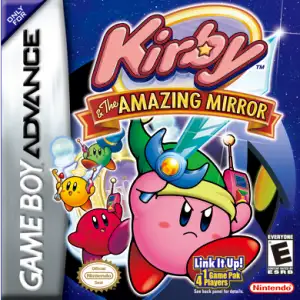
Kirby & The Amazing Mirror
About this game
Kirby & The Amazing Mirror is a beloved action‑adventure platformer for GBA, developed by HAL Laboratory and Flagship, published by Nintendo in 2004抖音百科. The Dimension Mirror of Dream Land is corrupted by dark power and shattered into eight fragments scattered across Mirror World. Dark Meta Knight splits Kirby into four differently‑colored copies. Traverse a vast non‑linear interconnected labyrinth world, teleport between zones via mirror portals, defeat bosses and recover mirror shards to restore the sacred mirror. Classic Kirby inhale‑and‑copy ability returns with dozens of powers. No strict linear stage progression; up to four‑player co‑op is supported via GBA link cable. Bright cheerful pixel art, approachable difficulty and abundant secrets make it Kirby’s most popular vintage title among Chinese retro‑gaming audiences。
- Release year
- 2004
- Developer
- ,
- Players
- Single player
- Supported languages
- 简体中文 · English · 日本語 · Français · Deutsch · Español · Italiano
FAQ
- How can I play Kirby & The Amazing Mirror?
- You can play Kirby & The Amazing Mirror online for free right in your browser on 8BitGo. No download or emulator installation is required.
- What platform is Kirby & The Amazing Mirror?
- 8BitGo classifies this version as Game Boy Advance. That describes how it runs here and may differ from the game's original release platform. You can play it directly in the browser.
- Can I save my progress in Kirby & The Amazing Mirror?
- Save support depends on how this game runs. Quick saves and cloud saves are available only when the player toolbar shows a save control; otherwise use the game's own save feature.
- Does Kirby & The Amazing Mirror work on mobile?
- It depends on the game. Check the controls on this page: games with on-screen buttons work on touch devices, while keyboard-and-mouse games are best played on desktop.
Controls
These are the default keys. Click the gamepad icon 🎮 in the player toolbar, then “Remap keys” to open the emulator’s own control settings (keyboard and gamepad, saved automatically). Gamepads are detected automatically. On phones you get on-screen buttons.
D-Pad
W S A D
A
K
B
J
L
Q
R
E
Start
Enter
Select
Shift
Quick save
F2
Quick load
F4
You might also like
Same platform, same genre, or from the same developer
 GBA
GBAKirby: Nightmare in Dream Land
 NES
NESPinball
 GBA
GBAGrand Theft Auto:Advance
 GBA
GBASan Goku Shi
 GBA
GBAThe Legend of Zelda: The Minish Cap
 GBA
GBAThe Legend of Sword and Fairy
 GBA
GBAMario Kart: Super Circuit
 GBA
GBA