
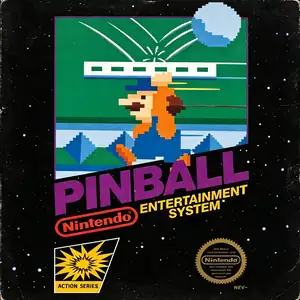
Checking this game’s age requirement…
Pinball
About this game
Pinball was co‑developed by Nintendo and HAL Laboratory and published by Nintendo. It launched for Famicom in 1984, and was one of the 18 launch titles for the North American NES in 1985. Adapted from Nintendo’s earlier Game & Watch pinball title, it stands as a landmark virtual pinball simulation of the 8‑bit console era. Players operate flippers to bounce the metal ball, hit targets and bumpers to earn high scores, and prevent the ball from falling out at the bottom. The playfield is split into upper and lower sections where the ball can travel back and forth. It features interactive gimmicks including seal bumpers, penguin obstacles and card‑flipping scoring mechanics. Two speed settings Mode A and Mode B are available, alongside alternating 1‑2‑player competitive gameplay for high‑score challenges. The highlight is its iconic bonus stage featuring Mario holding a moving platform to keep the ball airborne, while players attempt to rescue Pauline for massive bonus points, a charming early‑Nintendo easter egg. The game was later ported to the Famicom Disk System and included as a minigame in the Animal Crossing series. With intuitive controls and authentic arcade‑style 8‑bit chiptune audio, Pinball remains a beloved retro pinball title and can be fully experienced on modern hardware via emulators。
- Release year
- 1984
- Developer
- ,
- Players
- Single player
- Supported languages
- 简体中文 · English
FAQ
- How can I play Pinball?
- You can play Pinball online for free right in your browser on 8BitGo. No download or emulator installation is required.
- What platform is Pinball?
- 8BitGo classifies this version as NES (Famicom). That describes how it runs here and may differ from the game's original release platform. You can play it directly in the browser.
- Can I save my progress in Pinball?
- Save support depends on how this game runs. Quick saves and cloud saves are available only when the player toolbar shows a save control; otherwise use the game's own save feature.
- Does Pinball work on mobile?
- It depends on the game. Check the controls on this page: games with on-screen buttons work on touch devices, while keyboard-and-mouse games are best played on desktop.
Controls
These are the default keys. Click the gamepad icon 🎮 in the player toolbar, then “Remap keys” to open the emulator’s own control settings (keyboard and gamepad, saved automatically). Gamepads are detected automatically. On phones you get on-screen buttons.
D-Pad
W S A D
A
K
B
J
Start
Enter
Select
Shift
Quick save
F2
Quick load
F4
You might also like
Same platform, same genre, or from the same developer
 GBA
GBAKirby: Nightmare in Dream Land
 GBA
GBAKirby & The Amazing Mirror
 NES
NESSuper Mario Bros.
Contra
 NES
NESSuper Mario Bros.3
 NES
NESTeenage Mutant Ninja Turtles III: The Manhattan Project
 NES
NESCircus Charlie
 NES
NES