
Vérification de la limite d’âge de ce jeu…
À propos du jeu
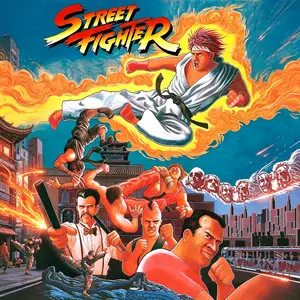
Street Fighter, the first game in the Street Fighter franchise, is a classic side-scrolling fighting game developed by Capcom and originally released in arcades in 1987. It is the pioneering title of the legendary Street Fighter series. The game features one-on-one combat. Players can pick between Ryu and Ken, traveling around the world to fight martial artists from different countries. It introduced three iconic special moves: Hadouken, Shoryuken and Tatsumaki Senpukyaku. Though input detection was clunky and special moves were hard to trigger, it established the special attack mechanic for fighting games. There are 8 world stages. After defeating regional fighters, players will face final bosses Sagat and Birdie. While its graphics and controls feel primitive by modern standards, Street Fighter defined the core gameplay of fighting games. It paved the way for Street Fighter 2 and countless later fighting titles, making it a landmark title in fighting game history.
- Année de sortie
- 1987
- Développeur
- Joueurs
- 1 joueur
- Langues prises en charge
- English
FAQ
- Comment jouer à Street Fighter ?
- Vous pouvez jouer à Street Fighter en ligne et gratuitement directement dans votre navigateur sur 8BitGo. Aucun téléchargement ni installation d'émulateur n'est nécessaire.
- Sur quelle plateforme est Street Fighter ?
- 8BitGo classe cette version dans la catégorie Arcade. Cela décrit son mode d'exécution ici et peut différer de la plateforme de sortie d'origine. Vous pouvez jouer directement dans le navigateur.
- Puis-je sauvegarder ma progression dans Street Fighter ?
- La sauvegarde dépend du mode d'exécution du jeu. Les sauvegardes rapides et cloud ne sont disponibles que si la barre du lecteur affiche une commande de sauvegarde ; sinon, utilisez la sauvegarde intégrée au jeu.
- Street Fighter fonctionne-t-il sur mobile ?
- Cela dépend du jeu. Consultez les commandes sur cette page : les jeux avec boutons à l'écran fonctionnent au tactile, tandis que les jeux au clavier et à la souris sont mieux adaptés à un ordinateur.
Commandes
Voici les touches par défaut. Chaque carte d’arcade a un nombre de boutons différent et leur donne un sens différent. Les lignes ci-dessus sont les boutons 1 à 6 de la carte : sur Neo Geo (The King of Fighters et compagnie) A/B/C/D sont les boutons 1 à 4, Metal Slug n’utilise que 1, 2 et 4 (tir / saut / grenade), et Pac-Man n’en utilise aucun. Les jeux de combat à six boutons (trois poings, trois pieds — Street Fighter II par exemple) reçoivent une autre disposition du cœur : poing faible U, poing moyen I, poing fort Q, pied faible J, pied moyen K, pied fort E. Cliquez sur l’icône de manette 🎮 dans la barre du lecteur, puis sur « Redéfinir les touches » pour ouvrir les réglages de commandes de l’émulateur (clavier et manette, enregistrés automatiquement). Les manettes sont détectées automatiquement. Sur téléphone, des boutons virtuels s’affichent.
Croix directionnelle
W S A D
Bouton 1
J
Bouton 2
K
Bouton 3
U
Bouton 4
I
Bouton 5
E
Bouton 6
Q
Insérer une pièce
V
Start
Enter
Sauvegarde rapide
F2
Chargement rapide
F4
Tu aimeras peut-être aussi
Même plateforme, même genre, ou même développeur
Cadillacs and Dinosaurs
 ARCADE
JoJo's Bizarre Adventure: Heritage for the Future
 ARCADE
Warriors of Fate
 ARCADE
Marvel Super Heroes vs Street Fighter
 ARCADE
Street Fighter Alpha 3
.webp) ARCADE
ARCADESuper Street Fighter II Turbo
 GBA
GBAPhoenix Wright: Ace Attorney
 GB
GB