Checking this game’s age requirement…
Tetris Plus
About this game
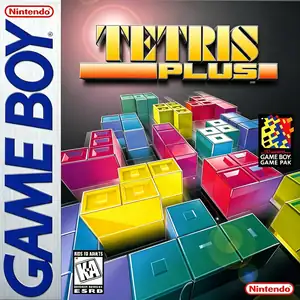
Tetris Plus, developed by Natsume and published by Jaleco, released for the Game Boy in 1997. It is a handheld port of the arcade Tetris Plus title, expanding the timeless Tetris formula with rich new gameplay modes and supporting Super Game Boy visual enhancements. Four distinct game modes are offered. Classic Mode faithfully reproduces vanilla Tetris gameplay, where players stack falling tetrominoes to clear horizontal lines, with piece‑fall speed accelerating as difficulty rises. The standout Puzzle Mode delivers innovative challenges: players manipulate falling blocks to carve safe paths, guiding the archaeologist Professor toward the goal at the bottom while avoiding spike traps. There are 100 puzzle stages total. A descending spiked ceiling creates constant pressure; contact with spikes results in stage failure. Versus Mode enables two‑player competitive matches via Game Link Cable. Edit Mode lets users design up to ten custom puzzle stages, with battery‑backed save to preserve player‑created levels. Optimized for monochrome Game Boy hardware, it features clear‑looking block graphics and varied background music. When played through Super Game Boy on SNES, custom color palettes and decorative borders become available. Original GB ROM files can be run via emulators, marking it as a creative 1990s handheld Tetris spin‑off.
- Release year
- 1997
- Developer
- Players
- Single player
- Supported languages
- English · 日本語
FAQ
- How can I play Tetris Plus?
- You can play Tetris Plus online for free right in your browser on 8BitGo. No download or emulator installation is required.
- What platform is Tetris Plus?
- 8BitGo classifies this version as Game Boy. That describes how it runs here and may differ from the game's original release platform. You can play it directly in the browser.
- Can I save my progress in Tetris Plus?
- Save support depends on how this game runs. Quick saves and cloud saves are available only when the player toolbar shows a save control; otherwise use the game's own save feature.
- Does Tetris Plus work on mobile?
- It depends on the game. Check the controls on this page: games with on-screen buttons work on touch devices, while keyboard-and-mouse games are best played on desktop.
Controls
These are the default keys. Click the gamepad icon 🎮 in the player toolbar, then “Remap keys” to open the emulator’s own control settings (keyboard and gamepad, saved automatically). Gamepads are detected automatically. On phones you get on-screen buttons.
D-Pad
W S A D
A
K
B
J
Start
Enter
Select
Shift
Quick save
F2
Quick load
F4
You might also like
Same platform, same genre, or from the same developer