
Checking this game’s age requirement…
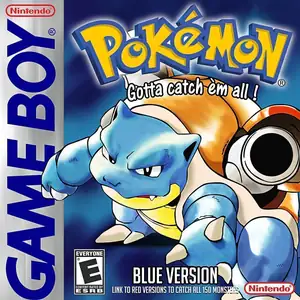
Pokemon Blue Version
About this game
Pokémon Blue Version (Japanese: Pocket Monsters Ao) is a classic turn-based RPG developed by Game Freak and published by Nintendo for the Game Boy. It belongs to Generation 1 of the Pokémon series and was first released in Japan in 1996. Alongside Pokémon Red Version, they share the same world setting but feature version-exclusive Pokémon, pioneering the version-difference gameplay of the franchise. Set in the Kanto region, players take on the role of a rookie Pokémon trainer. You can pick one starter Pokémon from Bulbasaur, Charmander and Squirtle given by Professor Oak to begin your journey. Your main quest is to collect eight gym badges, defeat the Elite Four and the champion at the Pokémon League, and fight against the criminal organization Team Rocket to stop their illegal Pokémon capturing plans. Core gameplay includes wild Pokémon catching, creature training, turn-based battles with type matchups, and link cable support for Pokémon trading and player vs player fights. Its pixel art and iconic soundtrack built the foundation of the whole Pokémon franchise, regarded as an iconic nostalgic handheld classic.
- Release year
- 1996
- Developer
- Players
- Single player
- Supported languages
- 繁體中文 · English · 日本語 · Español
FAQ
- How can I play Pokemon Blue Version?
- You can play Pokemon Blue Version online for free right in your browser on 8BitGo. No download or emulator installation is required.
- What platform is Pokemon Blue Version?
- 8BitGo classifies this version as Game Boy. That describes how it runs here and may differ from the game's original release platform. You can play it directly in the browser.
- Can I save my progress in Pokemon Blue Version?
- Save support depends on how this game runs. Quick saves and cloud saves are available only when the player toolbar shows a save control; otherwise use the game's own save feature.
- Does Pokemon Blue Version work on mobile?
- It depends on the game. Check the controls on this page: games with on-screen buttons work on touch devices, while keyboard-and-mouse games are best played on desktop.
Controls
These are the default keys. Click the gamepad icon 🎮 in the player toolbar, then “Remap keys” to open the emulator’s own control settings (keyboard and gamepad, saved automatically). Gamepads are detected automatically. On phones you get on-screen buttons.
D-Pad
W S A D
A
K
B
J
Start
Enter
Select
Shift
Quick save
F2
Quick load
F4
You might also like
Same platform, same genre, or from the same developer
 GBA
GBAPokémon FireRed
 GBA
GBAPokémon Emerald
 GBA
GBAPokémon Ruby
 GBA
GBAPokémon LeafGreen
 GBC
GBCPokémon Crystal Version
 NDS
NDSPokémon White 2
 NDS
NDSPokémon Black
 GBC
GBC