Checking this game’s age requirement…
Pokémon Emerald
About this game
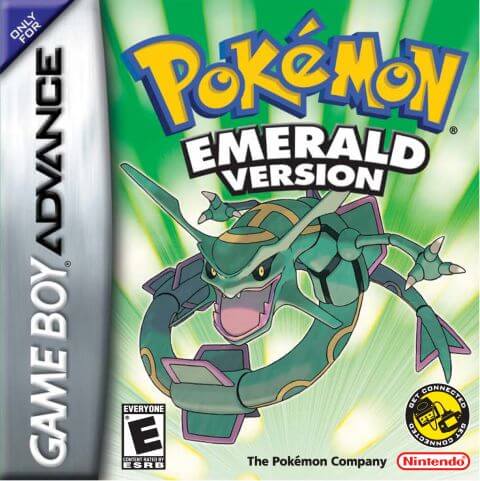
Pokémon Emerald, developed by Game Freak and published by Nintendo, is a classic role‑playing game for the GBA console. As the enhanced and integrated title of Pokémon Ruby and Pokémon Sapphire, it is the third‑generation main‑series Pokémon game officially released in 2004 and a nostalgic GBA classic for numerous players. Set across the diverse Hoenn region, the game casts players as a Pokémon trainer who embarks on a grand adventure from Littleroot Town. The main storyline features both Team Magma and Team Aqua. Centered on the ancient primal legends of Groudon and Kyogre, representing land and ocean respectively, Rayquaza, the sky‑dwelling legendary Pokémon, steps in to halt the crisis and completes the unfinished narrative from Ruby and Sapphire. Retaining core Pokémon‑series gameplay, players catch and train various Pokémon, travel through towns across Hoenn, collect badges by defeating eight Gym Leaders, and take on the Elite Four and Champion to complete the Pokédex. This title introduced landmark mechanics including double battles, Pokémon abilities and dynamic weather systems, greatly deepening strategic combat. After clearing the main story, the Battle Frontier with seven challenging facilities unlocks for end‑game content. Pokémon Contests also serve as relaxing alternative gameplay. Compared with Ruby and Sapphire, Emerald combines Pokémon available in both original games and adjusts legendary‑Pokémon acquisition methods, alongside refined cutscenes, iconic pixel graphics and memorable background music. The widely‑circulated Pokémon Emerald Version 386 hack allows players to catch all 386 Pokémon within a single playthrough, boosting collection‑oriented fun. To this day, it remains one of the most popular retro titles played via GBA emulators.
- Release year
- 2004
- Developer
- ,
- Players
- Single player
- Supported languages
- 简体中文 · English · 日本語 · Français · Deutsch · Español · Italiano
FAQ
- How can I play Pokémon Emerald?
- You can play Pokémon Emerald online for free right in your browser on 8BitGo. No download or emulator installation is required.
- What platform is Pokémon Emerald?
- 8BitGo classifies this version as Game Boy Advance. That describes how it runs here and may differ from the game's original release platform. You can play it directly in the browser.
- Can I save my progress in Pokémon Emerald?
- Save support depends on how this game runs. Quick saves and cloud saves are available only when the player toolbar shows a save control; otherwise use the game's own save feature.
- Does Pokémon Emerald work on mobile?
- It depends on the game. Check the controls on this page: games with on-screen buttons work on touch devices, while keyboard-and-mouse games are best played on desktop.
Controls
These are the default keys. Click the gamepad icon 🎮 in the player toolbar, then “Remap keys” to open the emulator’s own control settings (keyboard and gamepad, saved automatically). Gamepads are detected automatically. On phones you get on-screen buttons.
D-Pad
W S A D
A
K
B
J
L
Q
R
E
Start
Enter
Select
Shift
Quick save
F2
Quick load
F4
You might also like
Same platform, same genre, or from the same developer