
Checking this game’s age requirement…
Teenage Mutant Ninja Turtles:Gekikame Ninja Den
About this game
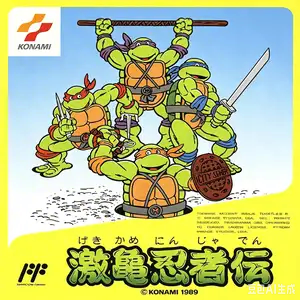
Teenage Mutant Ninja Turtles (Japanese title: Gekikame Ninja Den) is Konami’s 1989 NES/Famicom action‑adventure title, the very first TMNT video game adapted from the 1987 animated series. It blends top‑down overworld exploration with side‑scrolling combat stages, single‑player only. Players may swap freely between Leonardo, Raphael, Michelangelo and Donatello during gameplay. The story follows the turtles rescuing April O’Neil and fighting against Shredder and the Foot Clan. Infamous for brutal difficulty, especially the punishing underwater labyrinth level. Japan released it under an exclusive separate title Gekikame Ninja Den, which caused numbering confusion for later sequels. Original ROM can be played via NES emulators.
- Release year
- 1990
- Developer
- Players
- Single player
- Supported languages
- 简体中文 · English · 日本語 · Español
FAQ
- How can I play Teenage Mutant Ninja Turtles:Gekikame Ninja Den?
- You can play Teenage Mutant Ninja Turtles:Gekikame Ninja Den online for free right in your browser on 8BitGo. No download or emulator installation is required.
- What platform is Teenage Mutant Ninja Turtles:Gekikame Ninja Den?
- 8BitGo classifies this version as NES (Famicom). That describes how it runs here and may differ from the game's original release platform. You can play it directly in the browser.
- Can I save my progress in Teenage Mutant Ninja Turtles:Gekikame Ninja Den?
- Save support depends on how this game runs. Quick saves and cloud saves are available only when the player toolbar shows a save control; otherwise use the game's own save feature.
- Does Teenage Mutant Ninja Turtles:Gekikame Ninja Den work on mobile?
- It depends on the game. Check the controls on this page: games with on-screen buttons work on touch devices, while keyboard-and-mouse games are best played on desktop.
Controls
These are the default keys. Click the gamepad icon 🎮 in the player toolbar, then “Remap keys” to open the emulator’s own control settings (keyboard and gamepad, saved automatically). Gamepads are detected automatically. On phones you get on-screen buttons.
D-Pad
W S A D
A
K
B
J
Start
Enter
Select
Shift
Quick save
F2
Quick load
F4
You might also like
Same platform, same genre, or from the same developer
 DOS
DOSAge of Empires
 NES
NESSuper Mario Bros.3
 NDS
NDSPlants vs. Zombies
 NES
NESCircus Charlie
 NES
NESGomoku Narabe Renju
 NDS
NDSGrand Theft Auto: Chinatown Wars
 GBA
GBAThe King of Fighters EX: Neo Blood
 ARCADE