Checking this game’s age requirement…
Super Robot Wars
About this game
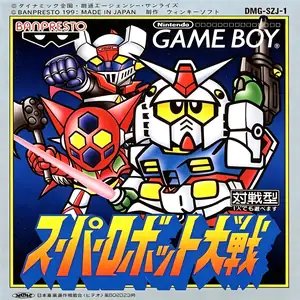
Super Robot Wars (also known as Super Robot Taisen, Japanese: スーパーロボット大戦) is the very first entry in the Super Robot Wars franchise. Developed by Winkysoft and published by Banpresto, it released exclusively in Japan for Game Boy in 1991. It pioneered the crossover tactical RPG concept by combining famous mecha anime franchises including Mobile Suit Gundam, Mazinger Z and Getter Robo. The story takes place on a robot planet where mechs possess self-awareness without human pilots. The evil force Gilgilgan seizes control of most robots and triggers a devastating war. It uses grid-based turn-based tactical combat; terrain affects hit rate and defense performance. At the start, players select one army from Gundam, Mazinger or Getter series. If the lead robot is destroyed, the mission ends in failure. It features a unique persuasion system to recruit brainwashed enemy robots into your team, and supports two-player versus battles via Game Boy link cable. It lacks later staple mechanics such as pilot training and unit customization. Despite its relatively simple design, it established the core crossover spirit of the series and stands as a milestone in retro handheld tactical RPG history.
- Release year
- 1991
- Developer
- Players
- Single player
- Supported languages
- 简体中文
FAQ
- How can I play Super Robot Wars?
- You can play Super Robot Wars online for free right in your browser on 8BitGo. No download or emulator installation is required.
- What platform is Super Robot Wars?
- 8BitGo classifies this version as Game Boy. That describes how it runs here and may differ from the game's original release platform. You can play it directly in the browser.
- Can I save my progress in Super Robot Wars?
- Save support depends on how this game runs. Quick saves and cloud saves are available only when the player toolbar shows a save control; otherwise use the game's own save feature.
- Does Super Robot Wars work on mobile?
- It depends on the game. Check the controls on this page: games with on-screen buttons work on touch devices, while keyboard-and-mouse games are best played on desktop.
Controls
These are the default keys. Click the gamepad icon 🎮 in the player toolbar, then “Remap keys” to open the emulator’s own control settings (keyboard and gamepad, saved automatically). Gamepads are detected automatically. On phones you get on-screen buttons.
D-Pad
W S A D
A
K
B
J
Start
Enter
Select
Shift
Quick save
F2
Quick load
F4
You might also like
Same platform, same genre, or from the same developer