
Checking this game’s age requirement…
Super Mario Bros.2
About this game
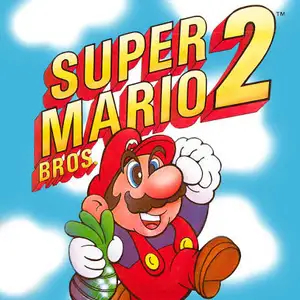
Super Mario Bros.2 (released in Japan as Super Mario USA) is a 2D side-scrolling platform game developed and published by Nintendo for FC/NES in 1988. It was modified from Yume Kōjō: Doki Doki Panic and re-skinned into a Mario title. The story begins with Mario dreaming of Subcon, a magical land oppressed by the evil frog tyrant Wart. Players can pick one of four characters before every stage: balanced Mario, high-jumping Luigi, fast item-grabbing Toad, and Princess Peach with floating ability. It abandons the classic stomp attack. The core gameplay is pulling vegetables from the ground, grabbing objects or enemies and throwing them to defeat foes. There are 7 worlds and 20 levels, featuring vines and vertical multi-layer stages. Beat Birdo bosses to collect crystal balls and unlock the next gate. A slot machine bonus game grants extra lives after stages. It has totally different gameplay from the first Mario, its unique character roster and throwing mechanics greatly influenced later Mario games. It was later ported to GBA, Virtual Console and other platforms, a highly creative classic retro FC game.
- Release year
- 1990
- Developer
- Players
- Single player
- Supported languages
- 简体中文 · English · Español
FAQ
- How can I play Super Mario Bros.2?
- You can play Super Mario Bros.2 online for free right in your browser on 8BitGo. No download or emulator installation is required.
- What platform is Super Mario Bros.2?
- 8BitGo classifies this version as NES (Famicom). That describes how it runs here and may differ from the game's original release platform. You can play it directly in the browser.
- Can I save my progress in Super Mario Bros.2?
- Save support depends on how this game runs. Quick saves and cloud saves are available only when the player toolbar shows a save control; otherwise use the game's own save feature.
- Does Super Mario Bros.2 work on mobile?
- It depends on the game. Check the controls on this page: games with on-screen buttons work on touch devices, while keyboard-and-mouse games are best played on desktop.
Controls
These are the default keys. Click the gamepad icon 🎮 in the player toolbar, then “Remap keys” to open the emulator’s own control settings (keyboard and gamepad, saved automatically). Gamepads are detected automatically. On phones you get on-screen buttons.
D-Pad
W S A D
A
K
B
J
Start
Enter
Select
Shift
Quick save
F2
Quick load
F4
You might also like
Same platform, same genre, or from the same developer
 DOS
DOSAge of Empires
 NES
NESSuper Mario Bros.3
 NDS
NDSPlants vs. Zombies
 NES
NESCircus Charlie
 NES
NESGomoku Narabe Renju
 NDS
NDSGrand Theft Auto: Chinatown Wars
 GBA
GBAThe King of Fighters EX: Neo Blood
 ARCADE