
Checking this game’s age requirement…
Submachine: 32 Chambers
About this game
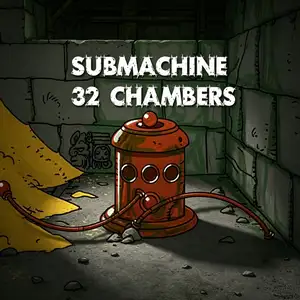
Submachine: 32 Chambers is a short Flash point-and-click puzzle browser game created by Polish indie developer Mateusz Skutnik, released in August 2010. It is a spin-off side story of the Submachine series and not part of the main storyline. The game is inspired by a note in Submachine 4: The Lab which mentions thirty-two sand-filled chambers. Players are teleported to an underground Aztec-style tomb filled with sand, containing 32 interconnected stone chambers. Explore scenes by mouse clicks, collect inventory items, interact with stone statues, sun totem mechanisms and stone gates, and solve symbol and environmental puzzles. There is no obvious objective at the beginning; players must discover the truth by exploration. It retains the series signature hand-sketched art style and lonely ancient mysterious atmosphere. This short but clever puzzle title was originally made for a game design competition and later included in the Submachine complete collection.
- Release year
- 1990
- Developer
- Players
- Single player
- Supported languages
- English
FAQ
- How can I play Submachine: 32 Chambers?
- You can play Submachine: 32 Chambers online for free right in your browser on 8BitGo. No download or emulator installation is required.
- What platform is Submachine: 32 Chambers?
- 8BitGo classifies this version as Flash Web Games. That describes how it runs here and may differ from the game's original release platform. You can play it directly in the browser.
- Can I save my progress in Submachine: 32 Chambers?
- Save support depends on how this game runs. Quick saves and cloud saves are available only when the player toolbar shows a save control; otherwise use the game's own save feature.
- Does Submachine: 32 Chambers work on mobile?
- It depends on the game. Check the controls on this page: games with on-screen buttons work on touch devices, while keyboard-and-mouse games are best played on desktop.
Controls
These games get the keyboard directly — the controls are whatever the game itself defines, usually in its own help or options screen. Some games show on-screen buttons on phones.
Quick save
F2
Quick load
F4
You might also like
Same platform, same genre, or from the same developer
 DOS
DOSAge of Empires
 NES
NESSuper Mario Bros.3
 NDS
NDSPlants vs. Zombies
 NES
NESCircus Charlie
 NES
NESGomoku Narabe Renju
 NDS
NDSGrand Theft Auto: Chinatown Wars
 GBA
GBAThe King of Fighters EX: Neo Blood
 ARCADE