
Checking this game’s age requirement…
About this game
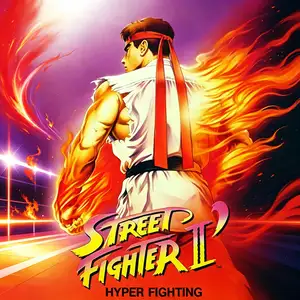
Street Fighter II' Turbo - Hyper Fighting (often called Street Fighter II Turbo) is an arcade fighting game released by Capcom in 1992, powered by the CPS1 arcade board. It is an upgraded iteration of Street Fighter II': Champion Edition. The game significantly increases overall game speed, accelerating character movement and attack timings. Many move properties were reworked and special attack hitboxes adjusted to create faster, more intense matches. The playable roster stays the same as Champion Edition with 12 fighters, including the original 8 characters plus the four Shadaloo bosses M.Bison, Balrog, Sagat and Vega. Mirror matches are supported. It keeps the iconic six-button control scheme alongside classic special moves such as Hadouken and Shoryuken. The signature feature of Turbo is faster game speed, which quickens offense and defense and expands combo and pressure options, greatly boosting competitive potential. This version was hugely popular in arcades worldwide and served as the foundation for many home console ports. It refined the competitive framework of Street Fighter II and remains an influential classic in fighting game history. It has also been included in multiple Street Fighter compilation releases.
- Release year
- 1990
- Developer
- Players
- Single player
- Supported languages
- English
FAQ
- How can I play Street Fighter II' Turbo - Hyper Fighting?
- You can play Street Fighter II' Turbo - Hyper Fighting online for free right in your browser on 8BitGo. No download or emulator installation is required.
- What platform is Street Fighter II' Turbo - Hyper Fighting?
- 8BitGo classifies this version as Arcade. That describes how it runs here and may differ from the game's original release platform. You can play it directly in the browser.
- Can I save my progress in Street Fighter II' Turbo - Hyper Fighting?
- Save support depends on how this game runs. Quick saves and cloud saves are available only when the player toolbar shows a save control; otherwise use the game's own save feature.
- Does Street Fighter II' Turbo - Hyper Fighting work on mobile?
- It depends on the game. Check the controls on this page: games with on-screen buttons work on touch devices, while keyboard-and-mouse games are best played on desktop.
Controls
These are the default keys. Every arcade board has a different number of buttons and means different things by them. The rows above are buttons 1–6 on the board: on Neo Geo boards (The King of Fighters and friends) A/B/C/D are buttons 1–4, Metal Slug uses only 1, 2 and 4 (shoot / jump / grenade), and Pac-Man uses none at all. Six-button fighters with three punches and three kicks (Street Fighter II and the like) get a different layout from the core: light punch U, medium punch I, heavy punch Q, light kick J, medium kick K, heavy kick E. Click the gamepad icon 🎮 in the player toolbar, then “Remap keys” to open the emulator’s own control settings (keyboard and gamepad, saved automatically). Gamepads are detected automatically. On phones you get on-screen buttons.
D-Pad
W S A D
Button 1
J
Button 2
K
Button 3
U
Button 4
I
Button 5
E
Button 6
Q
Insert coin
V
Start
Enter
Quick save
F2
Quick load
F4
You might also like
Same platform, same genre, or from the same developer
 DOS
DOSAge of Empires
 NES
NESSuper Mario Bros.3
 NDS
NDSPlants vs. Zombies
 NES
NESCircus Charlie
 NES
NESGomoku Narabe Renju
 NDS
NDSGrand Theft Auto: Chinatown Wars
 GBA
GBAThe King of Fighters EX: Neo Blood
 ARCADE