
Checking this game’s age requirement…
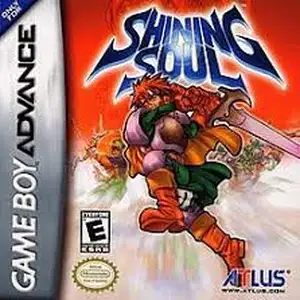
Shining Soul
About this game
Shining Soul is a top-down action RPG for Game Boy Advance, developed by Nextech and published by SEGA, released on March 28, 2002. It belongs to SEGA’s classic Shining franchise. Set in the fantasy land of Runefaust, the destructive Dark Dragon has returned. Players pick one of four classes: Warrior, Wizard, Archer and Dragonute, embarking on an adventure to defeat the Dark Dragon and his five dark generals. It features real-time hack-and-slash dungeon crawling. Gain EXP from monsters to level up, allocate stats freely and unlock unique skills. The game has randomized loot drops and a soulstone weapon forging system; weapons absorb souls from defeated foes to evolve. Its highlight is multiplayer support, up to four players can team up via GBA link cable for dungeon exploration and looting, with exclusive rare monsters in co-op mode. It features pixel sprite graphics, varied dungeons and epic boss fights, with built-in save function. Fan Chinese translation patch is available. Known as a portable mini Diablo, it is a classic loot-based action RPG on GBA.
- Release year
- 1990
- Developer
- Players
- Single player
- Supported languages
- 简体中文 · English · 日本語 · Français · Deutsch · Español · Italiano
FAQ
- How can I play Shining Soul?
- You can play Shining Soul online for free right in your browser on 8BitGo. No download or emulator installation is required.
- What platform is Shining Soul?
- 8BitGo classifies this version as Game Boy Advance. That describes how it runs here and may differ from the game's original release platform. You can play it directly in the browser.
- Can I save my progress in Shining Soul?
- Save support depends on how this game runs. Quick saves and cloud saves are available only when the player toolbar shows a save control; otherwise use the game's own save feature.
- Does Shining Soul work on mobile?
- It depends on the game. Check the controls on this page: games with on-screen buttons work on touch devices, while keyboard-and-mouse games are best played on desktop.
Controls
These are the default keys. Click the gamepad icon 🎮 in the player toolbar, then “Remap keys” to open the emulator’s own control settings (keyboard and gamepad, saved automatically). Gamepads are detected automatically. On phones you get on-screen buttons.
D-Pad
W S A D
A
K
B
J
L
Q
R
E
Start
Enter
Select
Shift
Quick save
F2
Quick load
F4
You might also like
Same platform, same genre, or from the same developer
 DOS
DOSAge of Empires
 NES
NESSuper Mario Bros.3
 NDS
NDSPlants vs. Zombies
 NES
NESCircus Charlie
 NES
NESGomoku Narabe Renju
 NDS
NDSGrand Theft Auto: Chinatown Wars
 GBA
GBAThe King of Fighters EX: Neo Blood
 ARCADE