
Checking this game’s age requirement…
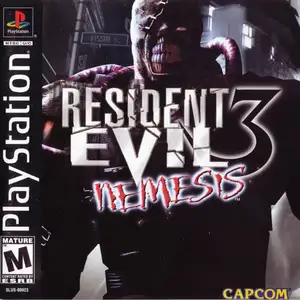
Resident Evil 3: Nemesis
About this game
Resident Evil 3: Nemesis (Japanese title Biohazard 3: Last Escape) is a classic survival horror game developed and published by Capcom, first released on PlayStation 1 in 1999. Its timeline runs parallel with Resident Evil 2. Jill Valentine, former S.T.A.R.S member, is trapped in Raccoon City overrun by the T-Virus. She must find a way to escape before the military nuclear strike annihilates the whole city. The iconic feature is Nemesis, a relentless bioweapon boss that chases the player across rooms and wields a rocket launcher, creating constant intense horror pressure. The game added dodge move and 180-degree quick turn. It keeps classic series mechanics: pre-rendered backgrounds, fixed camera angles, scarce resource management and puzzles. Different choices lead to alternate story events. After beating the main game, players unlock the mercenary mini-game Operation Mad Jackal and multiple costumes. Later ported to Dreamcast, PC and GameCube, it is a landmark survival horror title of the PS1 era.
- Release year
- 1990
- Developer
- Players
- Single player
- Supported languages
- 简体中文 · English
FAQ
- How can I play Resident Evil 3: Nemesis?
- You can play Resident Evil 3: Nemesis online for free right in your browser on 8BitGo. No download or emulator installation is required.
- What platform is Resident Evil 3: Nemesis?
- 8BitGo classifies this version as Sony PlayStation. That describes how it runs here and may differ from the game's original release platform. You can play it directly in the browser.
- Can I save my progress in Resident Evil 3: Nemesis?
- Save support depends on how this game runs. Quick saves and cloud saves are available only when the player toolbar shows a save control; otherwise use the game's own save feature.
- Does Resident Evil 3: Nemesis work on mobile?
- It depends on the game. Check the controls on this page: games with on-screen buttons work on touch devices, while keyboard-and-mouse games are best played on desktop.
Controls
These are the default keys. Click the gamepad icon 🎮 in the player toolbar, then “Remap keys” to open the emulator’s own control settings (keyboard and gamepad, saved automatically). Gamepads are detected automatically. On phones you get on-screen buttons.
D-Pad
W S A D
○
K
✕
J
△
I
□
U
L1
Q
R1
E
L2
Tab
R2
R
Left stick
T G F H
Right stick
↑ ↓ ← →
Start
Enter
Select
Shift
Quick save
F2
Quick load
F4
You might also like
Same platform, same genre, or from the same developer
 DOS
DOSAge of Empires
 NES
NESSuper Mario Bros.3
 NDS
NDSPlants vs. Zombies
 NES
NESCircus Charlie
 NES
NESGomoku Narabe Renju
 NDS
NDSGrand Theft Auto: Chinatown Wars
 GBA
GBAThe King of Fighters EX: Neo Blood
 ARCADE