
Checking this game’s age requirement…
Power Quest
About this game
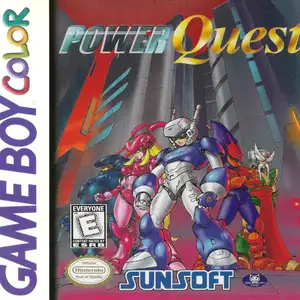
Power Quest (Japanese title Gekitō Power Modeler) is a hybrid RPG and fighting game developed by Japan System Supply for Game Boy Color, released in 1998. Published by Capcom in Japan and Sunsoft for western regions. Set in a near-future world where model robot battles are popular, the protagonist joins robot tournaments and pilots small combat robots called Plustars. Players explore town areas, seek challengers and earn prize money after winning fights. Funds can be spent to buy armor, weapons and core parts to customize robots. There are six base robot models with unique movesets and traits, and part customization changes fighting styles. Battles are 1-on-1 side-scrolling fights with punch, kick, jump, block and special attack mechanics, blending reflex-based combat with RPG progression. The full story campaign features the villain group Hyena Gang. It also supports local multiplayer via Game Boy infrared port for robot duels between two players. With colorful GBC pixel graphics, it combines robot raising and real-time fighting, regarded as a unique cult classic on Game Boy Color.
- Release year
- 1990
- Developer
- Players
- Single player
- Supported languages
- English · Français · Deutsch · Español · Italiano
FAQ
- How can I play Power Quest?
- You can play Power Quest online for free right in your browser on 8BitGo. No download or emulator installation is required.
- What platform is Power Quest?
- 8BitGo classifies this version as Game Boy Color. That describes how it runs here and may differ from the game's original release platform. You can play it directly in the browser.
- Can I save my progress in Power Quest?
- Save support depends on how this game runs. Quick saves and cloud saves are available only when the player toolbar shows a save control; otherwise use the game's own save feature.
- Does Power Quest work on mobile?
- It depends on the game. Check the controls on this page: games with on-screen buttons work on touch devices, while keyboard-and-mouse games are best played on desktop.
Controls
These are the default keys. Click the gamepad icon 🎮 in the player toolbar, then “Remap keys” to open the emulator’s own control settings (keyboard and gamepad, saved automatically). Gamepads are detected automatically. On phones you get on-screen buttons.
D-Pad
W S A D
A
K
B
J
Start
Enter
Select
Shift
Quick save
F2
Quick load
F4
You might also like
Same platform, same genre, or from the same developer
 DOS
DOSAge of Empires
 NES
NESSuper Mario Bros.3
 NDS
NDSPlants vs. Zombies
 NES
NESCircus Charlie
 NES
NESGomoku Narabe Renju
 NDS
NDSGrand Theft Auto: Chinatown Wars
 GBA
GBAThe King of Fighters EX: Neo Blood
 ARCADE