
Checking this game’s age requirement…
Pac-Man
About this game
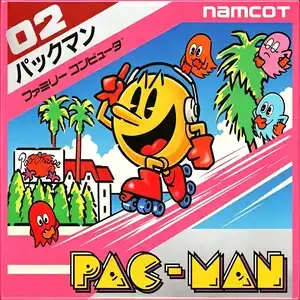
Pac-Man (Japanese: パックマン) is a legendary maze-chase game designed by Toru Iwatani and developed by Namco. It first launched for arcades in 1980 and was ported to the Famicom in 1984. Players control the yellow circular Pac-Man, navigating enclosed mazes to eat all small dots to clear each stage, while evading four colorful ghosts with unique AI behaviours: red Blinky chases directly, pink Pinky sets up ambushes, cyan Inky flanks from the side, and orange Clyde alternates between chasing and retreating. Four large power pellets sit in the four corners of each maze. After eating a power pellet, ghosts turn blue temporarily, and Pac-Man can hunt them for escalating bonus points. Bonus fruits such as cherries and strawberries spawn mid-stage for extra score. Ghosts respawn from the central ghost house after being eaten and cannot be permanently defeated. It supports single-player and two-player turn-based gameplay. There is no final ending; every completed maze speeds up the ghosts, raising difficulty endlessly, and high score chasing is the main goal. The Famicom port simplifies graphics due to hardware limits but fully preserves the core gameplay and iconic sound effects. Breaking away from the space shooter trend of its era, its non-violent casual gameplay became a worldwide cultural icon. Widely bundled on Subor multicarts in China, many retro gamers first met Pac-Man on the Famicom.
- Release year
- 1990
- Developer
- Players
- Single player
- Supported languages
- 简体中文 · English · Español
FAQ
- How can I play Pac-Man?
- You can play Pac-Man online for free right in your browser on 8BitGo. No download or emulator installation is required.
- What platform is Pac-Man?
- 8BitGo classifies this version as NES (Famicom). That describes how it runs here and may differ from the game's original release platform. You can play it directly in the browser.
- Can I save my progress in Pac-Man?
- Save support depends on how this game runs. Quick saves and cloud saves are available only when the player toolbar shows a save control; otherwise use the game's own save feature.
- Does Pac-Man work on mobile?
- It depends on the game. Check the controls on this page: games with on-screen buttons work on touch devices, while keyboard-and-mouse games are best played on desktop.
Controls
These are the default keys. Click the gamepad icon 🎮 in the player toolbar, then “Remap keys” to open the emulator’s own control settings (keyboard and gamepad, saved automatically). Gamepads are detected automatically. On phones you get on-screen buttons.
D-Pad
W S A D
A
K
B
J
Start
Enter
Select
Shift
Quick save
F2
Quick load
F4
You might also like
Same platform, same genre, or from the same developer
 DOS
DOSAge of Empires
 NES
NESSuper Mario Bros.3
 NDS
NDSPlants vs. Zombies
 NES
NESCircus Charlie
 NES
NESGomoku Narabe Renju
 NDS
NDSGrand Theft Auto: Chinatown Wars
 GBA
GBAThe King of Fighters EX: Neo Blood
 ARCADE