

Checking this game’s age requirement…
Metal Slug 7
About this game
Metal Slug 7 is a side-scrolling run-and-gun shooter developed by SNK Playmore, first released on Nintendo DS in 2008. It is a mainline Metal Slug entry, later remade as Metal Slug XX for Xbox 360. The story follows the Regular Army squad investigating General Morden’s rebel forces alongside a mysterious new enemy army on a garbage island. Six playable characters are available: Marco, Tarma, Eri, Fio, Ralf and Clark. Marco, Tarma, Ralf and Clark get unique special moves, and all fighters have new character-specific melee attacks. The main campaign has seven missions with branching paths in some stages. It retains the classic Metal Slug formula: vehicles, varied weapon pickups, POW rescue, explosive combat and cartoon humor. On NDS, the top screen displays gameplay while the bottom screen shows a scrollable real-time map marking POWs and items. It is button-only, no touchscreen controls. It is single-player only with no multiplayer. It includes Combat School mode with 80 challenge drills, plus three difficulty levels. It is the first original mainline Metal Slug built for handheld, playable in DeSmuME and NO$GBA emulators.
- Release year
- 2008
- Developer
- Players
- Single player
- Supported languages
- 简体中文 · English · 日本語
FAQ
- How can I play Metal Slug 7?
- You can play Metal Slug 7 online for free right in your browser on 8BitGo. No download or emulator installation is required.
- What platform is Metal Slug 7?
- 8BitGo classifies this version as Nintendo DS. That describes how it runs here and may differ from the game's original release platform. You can play it directly in the browser.
- Can I save my progress in Metal Slug 7?
- Save support depends on how this game runs. Quick saves and cloud saves are available only when the player toolbar shows a save control; otherwise use the game's own save feature.
- Does Metal Slug 7 work on mobile?
- It depends on the game. Check the controls on this page: games with on-screen buttons work on touch devices, while keyboard-and-mouse games are best played on desktop.
Controls
These are the default keys. Click the gamepad icon 🎮 in the player toolbar, then “Remap keys” to open the emulator’s own control settings (keyboard and gamepad, saved automatically). Gamepads are detected automatically. On phones you get on-screen buttons.
1P
D-Pad
W S A D
A
K
B
J
X
I
Y
U
L
Q
R
E
Start
Enter
Select
Shift
Quick save
F2
Quick load
F4
2P
D-Pad
Numpad 8 2 4 6
A
Numpad 7
B
Numpad 9
X
Numpad *
Y
Numpad /
L
Numpad -
R
Numpad +
Start
Numpad 1
Select
Numpad 3
2P uses the numeric keypad with NumLock on; a second gamepad becomes 2P automatically. No numpad? Open 🎮 → Remap keys, switch to Player 2 and pick other keys.
You might also like
Same platform, same genre, or from the same developer
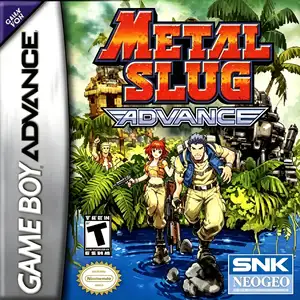 GBA
Metal Slug Advance
 NDS
Call of Duty: World at War
 NDS
Grand Theft Auto: Chinatown Wars
 NDS
Plants vs. Zombies
 NDS
FIFA Soccer 10
 NDS
Pokémon SoulSilver
 NDS
Pokémon HeartGold
 NDS