
Checking this game’s age requirement…
Kingdom:Demo
About this game
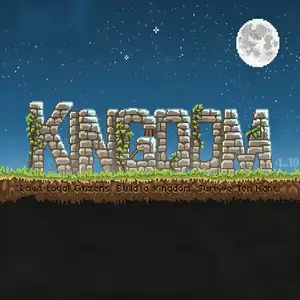
Kingdom Demo is the original Flash browser strategy prototype created by Noio, released online in 2013, the predecessor of Kingdom: Classic. Players take the role of a monarch riding a horse in a horizontal pixel world. Collect gold coins, throw coins to recruit wanderers, train villagers into archers, farmers and builders, construct walls and towers to expand territory. The game uses minimalist controls: arrow keys to ride the horse, down key to drop coins for interactions. Explore, gather resources and build your kingdom by day. At night, greedy monsters called Greeds emerge from dark woods to steal your coins or even your crown. Losing the crown means game over. This demo version challenges players to survive for 10 nights. It features almost no text, telling the story purely through visuals and sound design, with atmospheric pixel graphics and tranquil soundtrack. This successful Flash prototype was later remade into the commercial PC title Kingdom: Classic. It is a famous minimalist indie game mixing resource management, survival and tower defense.
- Release year
- 1990
- Developer
- Players
- Single player
- Supported languages
- English
FAQ
- How can I play Kingdom:Demo?
- You can play Kingdom:Demo online for free right in your browser on 8BitGo. No download or emulator installation is required.
- What platform is Kingdom:Demo?
- 8BitGo classifies this version as Flash Web Games. That describes how it runs here and may differ from the game's original release platform. You can play it directly in the browser.
- Can I save my progress in Kingdom:Demo?
- Save support depends on how this game runs. Quick saves and cloud saves are available only when the player toolbar shows a save control; otherwise use the game's own save feature.
- Does Kingdom:Demo work on mobile?
- It depends on the game. Check the controls on this page: games with on-screen buttons work on touch devices, while keyboard-and-mouse games are best played on desktop.
Controls
These games get the keyboard directly — the controls are whatever the game itself defines, usually in its own help or options screen. Some games show on-screen buttons on phones.
Quick save
F2
Quick load
F4
You might also like
Same platform, same genre, or from the same developer
 DOS
DOSAge of Empires
 NES
NESSuper Mario Bros.3
 NDS
NDSPlants vs. Zombies
 NES
NESCircus Charlie
 NES
NESGomoku Narabe Renju
 NDS
NDSGrand Theft Auto: Chinatown Wars
 GBA
GBAThe King of Fighters EX: Neo Blood
 ARCADE