
Checking this game’s age requirement…
Formation Z
About this game
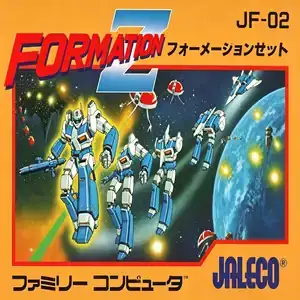
Formation Z (released overseas for arcades as Aeroboto, Japanese: フォーメーション Z) is a horizontal scrolling shooter developed and published by Jaleco. It launched on Famicom in 1985, ported from the original 1984 arcade game. Set in the year 2701, rebels from planet Zanaka launch an invasion. Players control the prototype transformable mech Ixpel, traveling across deserts, oceans, alien terrain and outer space to destroy the enemy superweapon and save Earth. Its landmark gameplay feature is seamless transformation between humanoid robot and fighter jet. In robot form on the ground, you can walk, jump and fire lasers; hold the fire button to charge powerful heavy shots. When transformed into jet mode, you gain full freedom of movement across the screen, yet flight continuously consumes fuel. Fuel can only be refilled by picking up ground supplies. The game uses one long continuous stage split into multiple themed segments. It supports 1 or 2 players with turn-based play. Your mech dies in one hit. The arcade-originated high difficulty demands careful pattern memorization and strict fuel management, reckless flying will quickly drain your energy. As an early 14KB small cartridge game for Famicom, its transforming mech concept was revolutionary for its era. Widely distributed on Subor multicarts, it is a well-loved classic retro mecha shooter among Chinese vintage game fans.
- Release year
- 1990
- Developer
- Players
- Single player
- Supported languages
- 简体中文 · English
FAQ
- How can I play Formation Z?
- You can play Formation Z online for free right in your browser on 8BitGo. No download or emulator installation is required.
- What platform is Formation Z?
- 8BitGo classifies this version as NES (Famicom). That describes how it runs here and may differ from the game's original release platform. You can play it directly in the browser.
- Can I save my progress in Formation Z?
- Save support depends on how this game runs. Quick saves and cloud saves are available only when the player toolbar shows a save control; otherwise use the game's own save feature.
- Does Formation Z work on mobile?
- It depends on the game. Check the controls on this page: games with on-screen buttons work on touch devices, while keyboard-and-mouse games are best played on desktop.
Controls
These are the default keys. Click the gamepad icon 🎮 in the player toolbar, then “Remap keys” to open the emulator’s own control settings (keyboard and gamepad, saved automatically). Gamepads are detected automatically. On phones you get on-screen buttons.
D-Pad
W S A D
A
K
B
J
Start
Enter
Select
Shift
Quick save
F2
Quick load
F4
You might also like
Same platform, same genre, or from the same developer
 DOS
DOSAge of Empires
 NES
NESSuper Mario Bros.3
 NDS
NDSPlants vs. Zombies
 NES
NESCircus Charlie
 NES
NESGomoku Narabe Renju
 NDS
NDSGrand Theft Auto: Chinatown Wars
 GBA
GBAThe King of Fighters EX: Neo Blood
 ARCADE