
Checking this game’s age requirement…
Donkey Kong Jr.
About this game
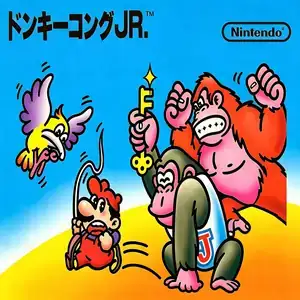
Donkey Kong Jr. (known to Chinese retro players as Donkey Kong 2) is developed by Nintendo R&D2 and released on July 15, 1983, as one of the three launch titles for Famicom. It is a port of the 1982 arcade original and the direct sequel to Donkey Kong. It is famous as the only mainline Nintendo game where Mario acts as the antagonist. The story reverses the original plot: Mario captures Donkey Kong and locks him inside a cage. Players control Donkey Kong’s son, Donkey Kong Jr., to overcome obstacles and rescue his father. Its signature gameplay focuses on vine climbing. Grab vines to move vertically; holding one vine lets you slide fast downward, while gripping two vines enables climbing upward. There are four fixed-screen stages: vine stage, springboard stage, chain stage and Mario’s hideout. Collect keys in the first three stages, then insert all keys into locks on the final stage to unlock the cage. Enemies include Snapjaw crocodiles, birds and electric sparks. You can knock fruits from treetops; falling fruits crush enemies below for bonus points. Two difficulty modes are available: Game A and harder Game B. Two players can take turns playing. You lose a life upon touching enemies, falling off platforms or when the bonus timer runs out. After beating all four stages, the game loops with increasing difficulty, and high score chasing is the main goal. It features simple graphics and unique climbing controls. Widely included on Subor multicarts in China, it is an iconic platformer from the Famicom launch era.
- Release year
- 1990
- Developer
- Players
- Single player
- Supported languages
- 简体中文 · English · 日本語 · Español
FAQ
- How can I play Donkey Kong Jr.?
- You can play Donkey Kong Jr. online for free right in your browser on 8BitGo. No download or emulator installation is required.
- What platform is Donkey Kong Jr.?
- 8BitGo classifies this version as NES (Famicom). That describes how it runs here and may differ from the game's original release platform. You can play it directly in the browser.
- Can I save my progress in Donkey Kong Jr.?
- Save support depends on how this game runs. Quick saves and cloud saves are available only when the player toolbar shows a save control; otherwise use the game's own save feature.
- Does Donkey Kong Jr. work on mobile?
- It depends on the game. Check the controls on this page: games with on-screen buttons work on touch devices, while keyboard-and-mouse games are best played on desktop.
Controls
These are the default keys. Click the gamepad icon 🎮 in the player toolbar, then “Remap keys” to open the emulator’s own control settings (keyboard and gamepad, saved automatically). Gamepads are detected automatically. On phones you get on-screen buttons.
D-Pad
W S A D
A
K
B
J
Start
Enter
Select
Shift
Quick save
F2
Quick load
F4
You might also like
Same platform, same genre, or from the same developer
 DOS
DOSAge of Empires
 NES
NESSuper Mario Bros.3
 NDS
NDSPlants vs. Zombies
 NES
NESCircus Charlie
 NES
NESGomoku Narabe Renju
 NDS
NDSGrand Theft Auto: Chinatown Wars
 GBA
GBAThe King of Fighters EX: Neo Blood
 ARCADE