Checking this game’s age requirement…
Disco Elysium: Game Boy Edition
About this game
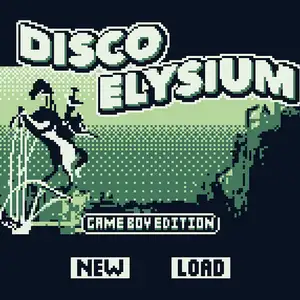
Disco Elysium: Game Boy Edition is an unofficial fan demake created by Colin with GB Studio, released in 2020. It can be played in web browser, or exported as ROM for original Game Boy hardware and emulators. Adapted from ZA/UM’s Disco Elysium, this version covers only the opening waterfront chapter of the original game. Players take the role of amnesiac alcoholic detective Harrier Du Bois, investigating a mystery case in the run-down harbour of Revachol. It retains the core skill check system from the original game, grouping all 24 skills into four main categories. Dialogue options trigger skill rolls; different choices affect story progression and character morale. It uses classic 4-tone green Game Boy pixel graphics with top-down view, text-driven RPG gameplay. Large chunks of original text were trimmed to fit Game Boy hardware limits. It is a famous fan-made demake in indie game community, and ZA/UM gave positive recognition to this project. A highly popular homebrew title for retro Game Boy fans.
- Release year
- 2020
- Developer
- Players
- Single player
- Supported languages
- English
FAQ
- How can I play Disco Elysium: Game Boy Edition?
- You can play Disco Elysium: Game Boy Edition online for free right in your browser on 8BitGo. No download or emulator installation is required.
- What platform is Disco Elysium: Game Boy Edition?
- 8BitGo classifies this version as Game Boy. That describes how it runs here and may differ from the game's original release platform. You can play it directly in the browser.
- Can I save my progress in Disco Elysium: Game Boy Edition?
- Save support depends on how this game runs. Quick saves and cloud saves are available only when the player toolbar shows a save control; otherwise use the game's own save feature.
- Does Disco Elysium: Game Boy Edition work on mobile?
- It depends on the game. Check the controls on this page: games with on-screen buttons work on touch devices, while keyboard-and-mouse games are best played on desktop.
Controls
These are the default keys. Click the gamepad icon 🎮 in the player toolbar, then “Remap keys” to open the emulator’s own control settings (keyboard and gamepad, saved automatically). Gamepads are detected automatically. On phones you get on-screen buttons.
D-Pad
W S A D
A
K
B
J
Start
Enter
Select
Shift
Quick save
F2
Quick load
F4
You might also like
Same platform, same genre, or from the same developer