
Checking this game’s age requirement…
About this game
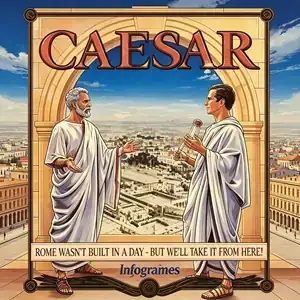
Caesar, known as Caesar 1, is the first city-building simulation game of the Caesar franchise. Developed by Impressions Software and published by Sierra, it launched for DOS in 1992. Players take on the role of a Roman provincial governor, tasked with building Roman cities on undeveloped frontier lands while managing civil livelihood, trade and military defense to complete imperial assignments. The game adopts a two-layer management system. In city view, you place roads, residences, aqueducts, markets, temples, amphitheaters and other buildings. You must balance citizen happiness, taxation and workforce. The province overworld map controls trade routes, resource transport and border defense. Citizens have happiness metrics. Heavy taxes or insufficient public services can trigger riots. Barbarian tribes launch raids, so players need to raise Roman legions for defense. The expansion pack Cohort II adds standalone tactical battle scenes. It features a series of progressive missions. Meet governance goals to gain Caesar’s approval and unlock harder provincial assignments. The isometric pixel graphics support VGA and EGA modes, with audio compatible with AdLib and Sound Blaster sound cards. Based on the city-building concept of SimCity, it adds ancient Roman history, military defense and imperial evaluation, establishing the core gameplay formula of the whole Caesar series. Modern players usually play it through DOSBox emulator. It is a landmark DOS strategy simulation game from the 1990s.
- Release year
- 1990
- Developer
- Players
- Single player
- Supported languages
- English
FAQ
- How can I play Caesar?
- You can play Caesar online for free right in your browser on 8BitGo. No download or emulator installation is required.
- What platform is Caesar?
- 8BitGo classifies this version as DOS PC Games. That describes how it runs here and may differ from the game's original release platform. You can play it directly in the browser.
- Can I save my progress in Caesar?
- Save support depends on how this game runs. Quick saves and cloud saves are available only when the player toolbar shows a save control; otherwise use the game's own save feature.
- Does Caesar work on mobile?
- It depends on the game. Check the controls on this page: games with on-screen buttons work on touch devices, while keyboard-and-mouse games are best played on desktop.
Controls
These games get the keyboard directly — the controls are whatever the game itself defines, usually in its own help or options screen. Gamepads are detected automatically. On phones you get on-screen buttons.
You might also like
Same platform, same genre, or from the same developer
 DOS
DOSAge of Empires
 NES
NESSuper Mario Bros.3
 NDS
NDSPlants vs. Zombies
 NES
NESCircus Charlie
 NES
NESGomoku Narabe Renju
 NDS
NDSGrand Theft Auto: Chinatown Wars
 GBA
GBAThe King of Fighters EX: Neo Blood
 ARCADE