
Verifica del requisito di età del gioco…
Informazioni sul gioco
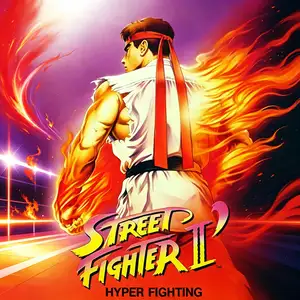
Street Fighter II' Turbo - Hyper Fighting (often called Street Fighter II Turbo) is an arcade fighting game released by Capcom in 1992, powered by the CPS1 arcade board. It is an upgraded iteration of Street Fighter II': Champion Edition. The game significantly increases overall game speed, accelerating character movement and attack timings. Many move properties were reworked and special attack hitboxes adjusted to create faster, more intense matches. The playable roster stays the same as Champion Edition with 12 fighters, including the original 8 characters plus the four Shadaloo bosses M.Bison, Balrog, Sagat and Vega. Mirror matches are supported. It keeps the iconic six-button control scheme alongside classic special moves such as Hadouken and Shoryuken. The signature feature of Turbo is faster game speed, which quickens offense and defense and expands combo and pressure options, greatly boosting competitive potential. This version was hugely popular in arcades worldwide and served as the foundation for many home console ports. It refined the competitive framework of Street Fighter II and remains an influential classic in fighting game history. It has also been included in multiple Street Fighter compilation releases.
- Anno di uscita
- 1990
- Sviluppatore
- Giocatori
- Giocatore singolo
- Lingue supportate
- English
Domande frequenti
- Come posso giocare a Street Fighter II' Turbo - Hyper Fighting?
- Puoi giocare a Street Fighter II' Turbo - Hyper Fighting online e gratuitamente direttamente nel tuo browser su 8BitGo. Non è richiesto alcun download né l'installazione di emulatori.
- Su quale piattaforma è Street Fighter II' Turbo - Hyper Fighting?
- 8BitGo classifica questa versione come Arcade. Questo descrive come viene eseguita qui e può differire dalla piattaforma di uscita originale. Puoi giocare direttamente nel browser.
- Posso salvare i miei progressi in Street Fighter II' Turbo - Hyper Fighting?
- Il supporto ai salvataggi dipende da come viene eseguito il gioco. Salvataggi rapidi e cloud sono disponibili solo se la barra del player mostra il relativo comando; altrimenti usa il salvataggio interno del gioco.
- Street Fighter II' Turbo - Hyper Fighting funziona su mobile?
- Dipende dal gioco. Controlla i comandi in questa pagina: i giochi con pulsanti su schermo funzionano via touch, mentre quelli con tastiera e mouse sono più adatti al computer.
Comandi
Questi sono i tasti predefiniti. Ogni scheda arcade ha un numero di tasti diverso e attribuisce loro significati diversi. Sopra trovi i tasti da 1 a 6 della scheda: sulle Neo Geo (The King of Fighters e affini) A/B/C/D sono i tasti 1–4, Metal Slug usa solo 1, 2 e 4 (sparo / salto / granata) e Pac-Man non ne usa nessuno. I picchiaduro a sei tasti con tre pugni e tre calci (Street Fighter II e simili) ricevono dal core un altro schema: pugno debole U, pugno medio I, pugno forte Q, calcio debole J, calcio medio K, calcio forte E. Fai clic sull’icona del gamepad 🎮 nella barra del player, poi su «Rimappa i tasti» per aprire le impostazioni dei controlli dell’emulatore (tastiera e gamepad, salvate automaticamente). I gamepad vengono rilevati in automatico. Su smartphone compaiono i pulsanti a schermo.
Croce direzionale
W S A D
Tasto 1
J
Tasto 2
K
Tasto 3
U
Tasto 4
I
Tasto 5
E
Tasto 6
Q
Inserisci moneta
V
Start
Enter
Salvataggio rapido
F2
Caricamento rapido
F4
Potrebbe piacerti anche
Stessa piattaforma, stesso genere o stesso sviluppatore
 DOS
DOSAge of Empires
 NES
NESSuper Mario Bros.3
 NDS
NDSPlants vs. Zombies
 NES
NESCircus Charlie
 NES
NESGomoku Narabe Renju
 NDS
NDSGrand Theft Auto: Chinatown Wars
 GBA
GBAThe King of Fighters EX: Neo Blood
 ARCADE