
Verifica del requisito di età del gioco…
Plants vs. Zombies
Informazioni sul gioco
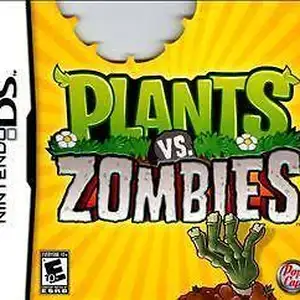
Plants vs. Zombies for Nintendo DS is a tower defense game developed by PopCap, released on January 18, 2011 in North America. It is the handheld port of the iconic Plants vs. Zombies. Players use the stylus to plant Peashooters, Wall-nuts, Cherry Bombs and other plants to defend the backyard from humorous zombies trying to eat your brains. It retains all core PC content including Adventure, Puzzle, Survival modes, Zen Garden and the Tree of Wisdom. This DS version adds local wireless Versus multiplayer, where two players fight each other as plants and zombies. It also features four exclusive minigames: Air Raid, Home Run Derby, Heat Wave and Bomb All Together, plus the new Trash Can Zombie and 14 unique achievements. It uses DS dual-screen layout: top screen displays the battlefield while the bottom screen handles plant card selection. It is slightly harder than PC version with a maximum of 9 seed slots. A cut-down DSiWare digital edition exists. Fan Chinese translation patch is available. It is a popular casual tower defense title on NDS.
- Anno di uscita
- 1990
- Sviluppatore
- Giocatori
- Giocatore singolo
- Lingue supportate
- FR
Domande frequenti
- Come posso giocare a Plants vs. Zombies?
- Puoi giocare a Plants vs. Zombies online e gratuitamente direttamente nel tuo browser su 8BitGo. Non è richiesto alcun download né l'installazione di emulatori.
- Su quale piattaforma è Plants vs. Zombies?
- L'uscita originale di Plants vs. Zombies è stata per la piattaforma Nintendo DS. Su 8BitGo ci giochi direttamente nel browser senza configurazione aggiuntiva.
- Posso salvare i miei progressi in Plants vs. Zombies?
- Sì. La maggior parte degli emulatori su 8BitGo supporta i salvataggi istantanei, e l'accesso consente di sincronizzare nel cloud i salvataggi compatibili.
- Plants vs. Zombies funziona su mobile?
- Sì. 8BitGo si adatta ai dispositivi touch, con controlli su schermo o supporto per gamepad Bluetooth.
Comandi
Questi sono i tasti predefiniti. Fai clic sull’icona del gamepad 🎮 nella barra del player, poi su «Rimappa i tasti» per aprire le impostazioni dei controlli dell’emulatore (tastiera e gamepad, salvate automaticamente). I gamepad vengono rilevati in automatico. Su smartphone compaiono i pulsanti a schermo.
Croce direzionale
W S A D
A
K
B
J
X
I
Y
U
L
Q
R
E
Start
Enter
Select
Shift
Salvataggio rapido
F2
Caricamento rapido
F4
Potrebbe piacerti anche
Stessa piattaforma, stesso genere o stesso sviluppatore
 NES
NESGomoku Narabe Renju
 HTML5
HTML5Taiko no Tatsujin:Web
 NES
NESSuper Mario Bros.3
 FLASH
FLASHGold Miner
 FLASH
FLASHFireboy & Watergirl 4: In the Crystal Temple
 FLASH
FLASHFireboy & Watergirl 3: In the Ice Temple
 NDS
NDSPokémon SoulSilver
 NDS
NDS