
Verifica del requisito di età del gioco…
Super Mario Bros.3
Informazioni sul gioco
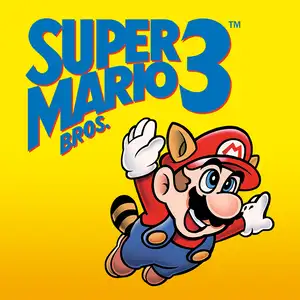
Super Mario Bros.3 is a landmark 2D side-scrolling platform game developed by Nintendo’s Shigeru Miyamoto team, released for Famicom/NES in 1988. Bowser’s seven children, the Koopalings, steal magic wands from seven kingdoms across the Mushroom World and transform the kings into animals. Mario and Luigi embark on a journey through eight themed worlds, defeat bosses to recover wands, and finally storm Bowser’s castle to rescue Princess Peach. The game introduced the world map system, allowing players to pick routes, visit Toad Houses for bonus items and battle wandering Hammer Bros. Items can be stored in inventory and carried between stages. It added many iconic power-ups: the Super Leaf turns Mario into Raccoon Mario with tail attack and temporary flight, plus Frog Suit for better underwater control, Tanooki Suit and Hammer Mario suit. It features varied traps, giant-size stages and airship levels, with 2-player alternating gameplay and massive secrets. With upgraded graphics, level design and soundtrack, it profoundly influenced later 2D platform games and is widely regarded as one of the greatest games on FC.
- Anno di uscita
- 1990
- Sviluppatore
- Giocatori
- Giocatore singolo
- Lingue supportate
- CN EN JP ES
Domande frequenti
- Come posso giocare a Super Mario Bros.3?
- Puoi giocare a Super Mario Bros.3 online e gratuitamente direttamente nel tuo browser su 8BitGo. Non è richiesto alcun download né l'installazione di emulatori.
- Su quale piattaforma è Super Mario Bros.3?
- L'uscita originale di Super Mario Bros.3 è stata per la piattaforma NES (Famicom). Su 8BitGo ci giochi direttamente nel browser senza configurazione aggiuntiva.
- Posso salvare i miei progressi in Super Mario Bros.3?
- Sì. La maggior parte degli emulatori su 8BitGo supporta i salvataggi istantanei, e l'accesso consente di sincronizzare nel cloud i salvataggi compatibili.
- Super Mario Bros.3 funziona su mobile?
- Sì. 8BitGo si adatta ai dispositivi touch, con controlli su schermo o supporto per gamepad Bluetooth.
Comandi
Questi sono i tasti predefiniti. Puoi rimapparli dall’icona del gamepad 🎮 nella barra in basso del player. I gamepad vengono rilevati in automatico. Su smartphone compaiono i pulsanti a schermo.
1P
Croce direzionale
W S A D
A
K
B
J
Turbo A
I
Turbo B
U
Start
Enter
Select
L Shift
Salvataggio rapido
F2
Caricamento rapido
F4
2P
Croce direzionale
Tastierino 8 2 4 6
A
Tastierino 7
B
Tastierino 9
Start
Tastierino 1
Select
Tastierino 3
Il NES è sempre stato a due giocatori: il 2P usa il tastierino numerico e NumLock non conta. Niente tastierino? Rimappa il 2P nel pannello 🎮.
Potrebbe piacerti anche
Stessa piattaforma, stesso genere o stesso sviluppatore
 NES
NESGomoku Narabe Renju
 HTML5
HTML5Taiko no Tatsujin:Web
 NDS
NDSPlants vs. Zombies
 FLASH
FLASHGold Miner
 FLASH
FLASHFireboy & Watergirl 4: In the Crystal Temple
 FLASH
FLASHFireboy & Watergirl 3: In the Ice Temple
 NDS
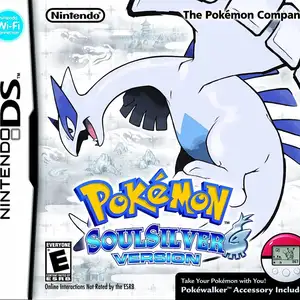
NDSPokémon SoulSilver
 NDS
NDS