Comprobando el requisito de edad de este juego…
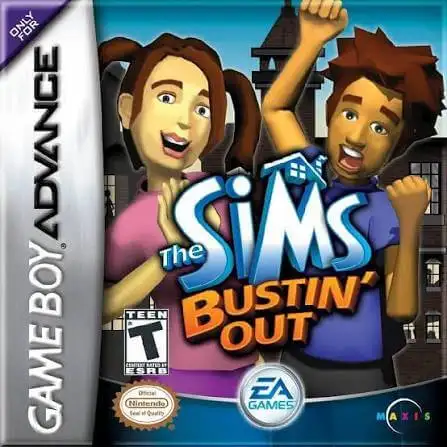
The Sims: Bustin' Out
Sobre este juego
The Sims: Bustin' Out is a classic life simulation game developed by Maxis and published by EA, released for the GBA handheld console in 2003. As a representative handheld work of The Sims franchise, it is perfectly optimized for Game Boy Advance, featuring exclusive story missions and level-based gameplay, different from the sandbox mode of the PC version, and remains a beloved nostalgic simulation game for retro game players. The game features a complete original storyline. Players start their life adventure from a rural farm and explore the vibrant SimValley town. It abandons the pure free sandbox gameplay and adds abundant mission systems and story levels, with more than 20 unique scenarios to unlock. Players can explore new maps, collect exclusive items and unlock rich gameplay content by completing storyline tasks. It inherits the classic core gameplay of The Sims series. Players can customize the appearance and personality of their Sims, maintain eight basic life needs including hunger, hygiene and mood. Earn coins through various part-time jobs and interesting mini-games, decorate houses with diverse furniture, make friends with various NPCs and improve social relationships to unlock hidden rewards and exclusive gameplay. Fully adapted for GBA handheld operation, the game simplifies complex PC controls and adopts handheld-friendly key operations. It adds exclusive auction systems, scene props and side quests, greatly enriching the game content. Smoothly playable on all kinds of GBA emulators without complicated installation, The Sims: Bustin' Out is one of the most classic and playable life simulation games on retro handheld devices.
- Año de lanzamiento
- 2003
- Desarrolladora
- Jugadores
- 1 jugador
- Idiomas compatibles
- 简体中文 · English · 日本語 · Français · Deutsch · Español · Italiano
Preguntas frecuentes
- ¿Cómo puedo jugar a The Sims: Bustin' Out?
- Puedes jugar a The Sims: Bustin' Out en línea y gratis directamente en tu navegador en 8BitGo. No necesitas descargar nada ni instalar ningún emulador.
- ¿En qué plataforma es The Sims: Bustin' Out?
- 8BitGo clasifica esta versión como Game Boy Advance. Esto describe cómo se ejecuta aquí y puede diferir de la plataforma de lanzamiento original. Puedes jugar directamente en el navegador.
- ¿Puedo guardar mi progreso en The Sims: Bustin' Out?
- La posibilidad de guardar depende de cómo se ejecute el juego. El guardado rápido y en la nube solo está disponible si la barra del reproductor muestra un control de guardado; si no, usa el guardado propio del juego.
- ¿Funciona The Sims: Bustin' Out en el móvil?
- Depende del juego. Consulta los controles de esta página: los juegos con botones en pantalla funcionan con tacto, mientras que los de teclado y ratón se disfrutan mejor en un ordenador.
Controles
Estas son las teclas predeterminadas. Haz clic en el icono de mando 🎮 de la barra del reproductor y luego en «Reasignar teclas» para abrir la configuración de controles del emulador (teclado y mando, se guarda automáticamente). Si conectas un mando, se detecta solo. En el teléfono aparecen botones en pantalla.
Cruceta
W S A D
A
K
B
J
L
Q
R
E
Start
Enter
Select
Shift
Guardado rápido
F2
Carga rápida
F4
También te puede gustar
Misma plataforma, mismo género o de la misma desarrolladora