Comprobando el requisito de edad de este juego…
Pokémon Emerald
Sobre este juego
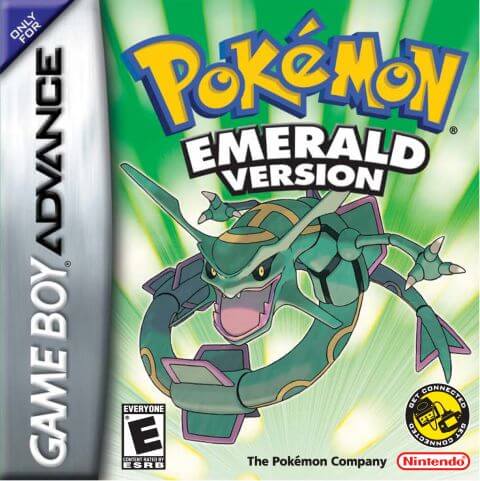
Pokémon Emerald, developed by Game Freak and published by Nintendo, is a classic role‑playing game for the GBA console. As the enhanced and integrated title of Pokémon Ruby and Pokémon Sapphire, it is the third‑generation main‑series Pokémon game officially released in 2004 and a nostalgic GBA classic for numerous players. Set across the diverse Hoenn region, the game casts players as a Pokémon trainer who embarks on a grand adventure from Littleroot Town. The main storyline features both Team Magma and Team Aqua. Centered on the ancient primal legends of Groudon and Kyogre, representing land and ocean respectively, Rayquaza, the sky‑dwelling legendary Pokémon, steps in to halt the crisis and completes the unfinished narrative from Ruby and Sapphire. Retaining core Pokémon‑series gameplay, players catch and train various Pokémon, travel through towns across Hoenn, collect badges by defeating eight Gym Leaders, and take on the Elite Four and Champion to complete the Pokédex. This title introduced landmark mechanics including double battles, Pokémon abilities and dynamic weather systems, greatly deepening strategic combat. After clearing the main story, the Battle Frontier with seven challenging facilities unlocks for end‑game content. Pokémon Contests also serve as relaxing alternative gameplay. Compared with Ruby and Sapphire, Emerald combines Pokémon available in both original games and adjusts legendary‑Pokémon acquisition methods, alongside refined cutscenes, iconic pixel graphics and memorable background music. The widely‑circulated Pokémon Emerald Version 386 hack allows players to catch all 386 Pokémon within a single playthrough, boosting collection‑oriented fun. To this day, it remains one of the most popular retro titles played via GBA emulators.
- Año de lanzamiento
- 2004
- Desarrolladora
- ,
- Jugadores
- 1 jugador
- Idiomas compatibles
- 简体中文 · English · 日本語 · Français · Deutsch · Español · Italiano
Preguntas frecuentes
- ¿Cómo puedo jugar a Pokémon Emerald?
- Puedes jugar a Pokémon Emerald en línea y gratis directamente en tu navegador en 8BitGo. No necesitas descargar nada ni instalar ningún emulador.
- ¿En qué plataforma es Pokémon Emerald?
- 8BitGo clasifica esta versión como Game Boy Advance. Esto describe cómo se ejecuta aquí y puede diferir de la plataforma de lanzamiento original. Puedes jugar directamente en el navegador.
- ¿Puedo guardar mi progreso en Pokémon Emerald?
- La posibilidad de guardar depende de cómo se ejecute el juego. El guardado rápido y en la nube solo está disponible si la barra del reproductor muestra un control de guardado; si no, usa el guardado propio del juego.
- ¿Funciona Pokémon Emerald en el móvil?
- Depende del juego. Consulta los controles de esta página: los juegos con botones en pantalla funcionan con tacto, mientras que los de teclado y ratón se disfrutan mejor en un ordenador.
Controles
Estas son las teclas predeterminadas. Haz clic en el icono de mando 🎮 de la barra del reproductor y luego en «Reasignar teclas» para abrir la configuración de controles del emulador (teclado y mando, se guarda automáticamente). Si conectas un mando, se detecta solo. En el teléfono aparecen botones en pantalla.
Cruceta
W S A D
A
K
B
J
L
Q
R
E
Start
Enter
Select
Shift
Guardado rápido
F2
Carga rápida
F4
También te puede gustar
Misma plataforma, mismo género o de la misma desarrolladora