
Comprobando el requisito de edad de este juego…
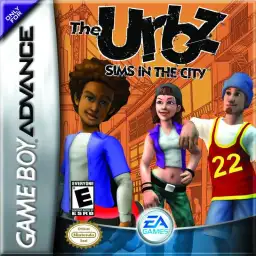
The Urbz: Sims in the City
Sobre este juego
The Urbz: Sims in the City is a classic life simulation game developed by Griptonite and published by EA, released for the GBA handheld console in 2004. As an independent spin-off work of The Sims series, it focuses on urban social simulation and status growth, combining traditional life simulation with RPG progression gameplay, forming a unique and highly playable retro game experience on GBA. Different from rural-themed simulation games, this title sets the background in a bustling modern city. Players start as ordinary citizens and gradually gain reputation, improve social status and step into high-class urban circles. The game features 25 brand-new explorable locations including city blocks, business districts, seaside areas and high-end communities. Players complete various career tasks, social challenges and mini-games to unlock new areas, exclusive items and advanced social privileges. It inherits the classic Sims core gameplay. Players customize character appearances, maintain daily life stats such as mood, hygiene and hunger. Earn money through part-time jobs, decorate houses with trendy furniture, and interact with diverse NPCs to expand social networks. Built-in multiple casual mini-games and GBA multiplayer support greatly enrich the overall gameplay diversity. Fully optimized for GBA hardware and key controls, the game features delicate pixel visuals and smooth operation experience. It improves storyline coherence and character growth system, taking reputation level as the core progression mechanic and bringing clearer gaming goals. Playable smoothly on all kinds of GBA emulators without complicated installation, The Urbz: Sims in the City remains a unique and popular classic urban simulation game for retro game lovers.
- Año de lanzamiento
- 2004
- Desarrolladora
- Jugadores
- 1 jugador
- Idiomas compatibles
- 简体中文 · English · 日本語 · Français · Deutsch · Español · Italiano
Preguntas frecuentes
- ¿Cómo puedo jugar a The Urbz: Sims in the City?
- Puedes jugar a The Urbz: Sims in the City en línea y gratis directamente en tu navegador en 8BitGo. No necesitas descargar nada ni instalar ningún emulador.
- ¿En qué plataforma es The Urbz: Sims in the City?
- 8BitGo clasifica esta versión como Game Boy Advance. Esto describe cómo se ejecuta aquí y puede diferir de la plataforma de lanzamiento original. Puedes jugar directamente en el navegador.
- ¿Puedo guardar mi progreso en The Urbz: Sims in the City?
- La posibilidad de guardar depende de cómo se ejecute el juego. El guardado rápido y en la nube solo está disponible si la barra del reproductor muestra un control de guardado; si no, usa el guardado propio del juego.
- ¿Funciona The Urbz: Sims in the City en el móvil?
- Depende del juego. Consulta los controles de esta página: los juegos con botones en pantalla funcionan con tacto, mientras que los de teclado y ratón se disfrutan mejor en un ordenador.
Controles
Estas son las teclas predeterminadas. Haz clic en el icono de mando 🎮 de la barra del reproductor y luego en «Reasignar teclas» para abrir la configuración de controles del emulador (teclado y mando, se guarda automáticamente). Si conectas un mando, se detecta solo. En el teléfono aparecen botones en pantalla.
Cruceta
W S A D
A
K
B
J
L
Q
R
E
Start
Enter
Select
Shift
Guardado rápido
F2
Carga rápida
F4
También te puede gustar
Misma plataforma, mismo género o de la misma desarrolladora
 GBA
GBAPokémon FireRed
 GBA
GBAPokémon Emerald
 GBA
GBAPokémon Ruby
 GBA
GBAKirby: Nightmare in Dream Land
 GBA
GBAPokémon LeafGreen
 GBA
GBAGolden Sun
 GBA
GBAFinal Fantasy IV Advance
 GBA
GBA