
Checking this game’s age requirement…
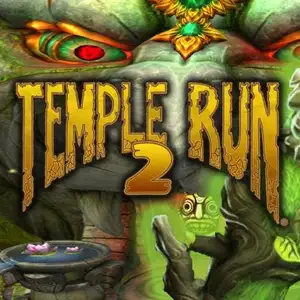
Temple Run 2
About this game
Temple Run 2 is a famous 3D endless runner created by Imangi Studios. The mobile original launched in 2013. HTML5 browser ports are available on portals such as Poki, playable directly in desktop browsers without downloads. Story premise: After grabbing the golden idol from an ancient temple, your explorer is chased relentlessly by demon monkeys. There is no finish line; the game speeds up the farther you run, testing reflexes. PC keyboard controls for web version: - Up arrow: Jump - Down arrow: Slide under obstacles - Left / Right arrow: Turn and shift lanes to collect coins - Spacebar: Activate charged power-ups Classic power-ups: - Shield: Blocks one hit - Coin magnet: Pulls nearby coins automatically - Boost: Temporary invincible high-speed run - Coin bonus: Doubles coin value for a period Game features 1. New track types including mine carts, ziplines and curved cliff paths, bringing richer environments than the first Temple Run. 2. Collect coins and gems, finish daily missions to unlock characters such as Guy Dangerous and Scarlett Fox, and upgrade power-up durations. 3. Multiple themed maps: jungle, snow mountain, volcano and lost jungle.
- Release year
- 2020
- Developer
- Players
- Single player
- Supported languages
- English
FAQ
- How can I play Temple Run 2?
- You can play Temple Run 2 online for free right in your browser on 8BitGo. No download or emulator installation is required.
- What platform is Temple Run 2?
- 8BitGo classifies this version as HTML5 Web Games. That describes how it runs here and may differ from the game's original release platform. You can play it directly in the browser.
- Can I save my progress in Temple Run 2?
- Save support depends on how this game runs. Quick saves and cloud saves are available only when the player toolbar shows a save control; otherwise use the game's own save feature.
- Does Temple Run 2 work on mobile?
- It depends on the game. Check the controls on this page: games with on-screen buttons work on touch devices, while keyboard-and-mouse games are best played on desktop.
Controls
These games get the keyboard directly — the controls are whatever the game itself defines, usually in its own help or options screen.
You might also like
Same platform, same genre, or from the same developer
 HTML5
HTML5Minecraft Classic
.webp) HTML5
HTML5Kingdom Heroes: Unify The World
 HTML5
HTML5Duo Survival
 HTML5
HTML5Angry Birds
 HTML5
HTML5Counter-Strike 1.6
 HTML5
HTML5Plants vs. Zombies
 HTML5
HTML5MURDER
 HTML5
HTML5