
Checking this game’s age requirement…
Cut the Rope
⋯
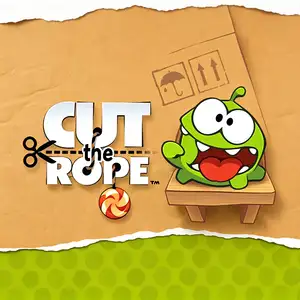
About this game
Cut the Rope Web is a physics puzzle game created by ZeptoLab. The old original Flash web version has been discontinued. The currently playable browser release is an officially licensed HTML5 port developed by Famobi, playable directly on desktop browsers without client installation. The game stars Om Nom, a cute little green monster. The core objective is to swipe your mouse to cut the ropes holding the candy. Using realistic physics simulation, guide the candy into Om Nom’s mouth, and collect up to three golden stars on the way. Three-star ratings unlock additional stages. Controls: Swipe your mouse across ropes to slice them. Tap bubbles to pop them and release candy. Classic interactive mechanics: - Bubbles: Lift candy upward - Bounce pads: Rebound candy on impact - Spikes: Instant failure upon contact - Spiders: Grab candy and raise puzzle difficulty - Air blowers: Push candy and change its trajectory Levels are grouped by themed boxes, including Cardboard Box, Fabric Box and Foil Box. New gadgets are introduced chapter by chapter to increase puzzle complexity. The web version saves progress locally in your browser storage. Clearing browser cache will erase your saved game.
Contributors
No contributors recorded yet.
💡 Guides
✎ Write a guideNo guides yet
You might also like
Same platform, same genre, or from the same developer
 HTML5
Angry Birds
 HTML5
MURDER
 HTML5
Cosy Coin Pusher
 HTML5
Counter-Strike 1.6
 HTML5
Plants vs. Zombies
 HTML5
Minecraft Classic
 HTML5
undertale
 HTML5
Command & Conquer: Red Alert 2
FAQ
- How can I play Cut the Rope?
- You can play Cut the Rope online for free right in your browser on 8BitGo. No download or emulator installation is required.
- What platform is Cut the Rope?
- 8BitGo classifies this version as HTML5 Web Games. That describes how it runs here and may differ from the game's original release platform. You can play it directly in the browser.
- Can I save my progress in Cut the Rope?
- Save support depends on how this game runs. Quick saves and cloud saves are available only when the player toolbar shows a save control; otherwise use the game's own save feature.
- Does Cut the Rope work on mobile?
- It depends on the game. Check the controls on this page: games with on-screen buttons work on touch devices, while keyboard-and-mouse games are best played on desktop.
Controls
These games get the keyboard directly — the controls are whatever the game itself defines, usually in its own help or options screen.