
Checking this game’s age requirement…
Angry Birds
About this game
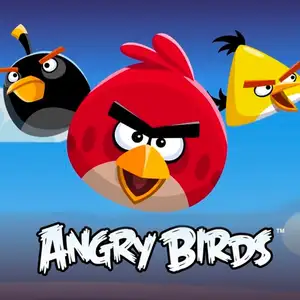
Angry Birds (Web Version) is a physics puzzle slingshot browser game created by Rovio Entertainment. The original official web release was **Angry Birds Chrome (2011)**, an HTML5/WebGL exclusive for Google Chrome, which has since been discontinued. The current official browser playable title is **Angry Birds Friends WEB**, playable directly in desktop browsers without client downloadRovio Ente.... Story premise: Green pigs steal the birds’ eggs. Players pull the slingshot and launch various birds. Realistic physics simulations cause structures to collapse; eliminate all pigs to clear each stage. Controls: Click and drag the slingshot to adjust angle and power, release to fire. Click mid-flight to activate each bird’s unique special power. Bird abilities: - Red: Basic impact, no special skill - Blue Bird: Splits into three, great for breaking glass - Yellow Bird: Speed boost mid-air, effective against wood - Black Bird: Detonates on impact for area damage - White Bird: Drops explosive egg bomb downwards Web version features ✅ Built on HTML5, runs directly on desktop browsers ✅ Angry Birds Friends WEB supports PvP tournaments, weekly rotating stages and cross-platform save sync with mobile accounts. Players compete against friends, collect feathers to upgrade birds and climb leaderboards ✅ Three-star grading system. Using fewer birds yields higher scores and unlock bonus levels.
- Release year
- 2011
- Developer
- Players
- Single player
- Supported languages
- English
FAQ
- How can I play Angry Birds?
- You can play Angry Birds online for free right in your browser on 8BitGo. No download or emulator installation is required.
- What platform is Angry Birds?
- 8BitGo classifies this version as HTML5 Web Games. That describes how it runs here and may differ from the game's original release platform. You can play it directly in the browser.
- Can I save my progress in Angry Birds?
- Save support depends on how this game runs. Quick saves and cloud saves are available only when the player toolbar shows a save control; otherwise use the game's own save feature.
- Does Angry Birds work on mobile?
- It depends on the game. Check the controls on this page: games with on-screen buttons work on touch devices, while keyboard-and-mouse games are best played on desktop.
Controls
These games get the keyboard directly — the controls are whatever the game itself defines, usually in its own help or options screen.
You might also like
Same platform, same genre, or from the same developer
 HTML5
HTML5MURDER
 HTML5
HTML5Cut the Rope
 HTML5
HTML5Cosy Coin Pusher
 HTML5
HTML5Counter-Strike 1.6
 HTML5
HTML5Minecraft Classic
 HTML5
HTML5Plants vs. Zombies
 HTML5
HTML5Command & Conquer: Red Alert 2
 HTML5
HTML5