
Checking this game’s age requirement…
Minecraft Classic
About this game
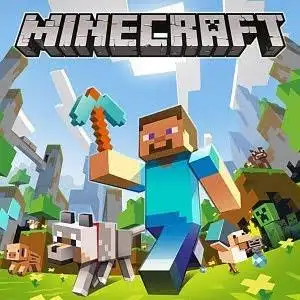
Minecraft Classic is an official WebGL sandbox browser game released by Mojang for Minecraft’s 10th anniversary in 2019. It faithfully restores the original 2009 Minecraft Classic build (0.0.23a_01). It is free to play directly in desktop browsers with no downloads and no account registration required. Gameplay: **Creative mode only**. There are no mobs, survival mechanics, hunger, redstone or crafting systems. Only 32 block types are available. Blocks break in one click and resources are unlimited, purely for building. PC Controls: - WASD: Move - Space: Jump - Left mouse: Destroy blocks - Right mouse: Place blocks - B: Open block selector - F: Toggle fog - ESC: Release mouse cursor Multiplayer feature: A unique share link is generated once you create a world, supporting up to **9 players** to build together.
- Release year
- 2009
- Developer
- Players
- Single player
- Supported languages
- English
FAQ
- How can I play Minecraft Classic?
- You can play Minecraft Classic online for free right in your browser on 8BitGo. No download or emulator installation is required.
- What platform is Minecraft Classic?
- 8BitGo classifies this version as HTML5 Web Games. That describes how it runs here and may differ from the game's original release platform. You can play it directly in the browser.
- Can I save my progress in Minecraft Classic?
- Save support depends on how this game runs. Quick saves and cloud saves are available only when the player toolbar shows a save control; otherwise use the game's own save feature.
- Does Minecraft Classic work on mobile?
- It depends on the game. Check the controls on this page: games with on-screen buttons work on touch devices, while keyboard-and-mouse games are best played on desktop.
Controls
These games get the keyboard directly — the controls are whatever the game itself defines, usually in its own help or options screen.
You might also like
Same platform, same genre, or from the same developer
 HTML5
HTML5Temple Run 2
.webp) HTML5
HTML5Kingdom Heroes: Unify The World
 HTML5
HTML5Duo Survival
 HTML5
HTML5Angry Birds
 HTML5
HTML5Counter-Strike 1.6
 HTML5
HTML5Plants vs. Zombies
 HTML5
HTML5MURDER
 HTML5
HTML5