
Checking this game’s age requirement…
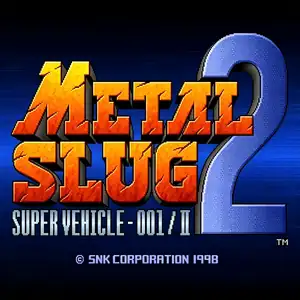
Metal Slug 2: Super Vehicle 001/II
About this game
Metal Slug 2: Super Vehicle‑001/II is a classic run‑and‑gun arcade shooter developed by Nazca and published by SNK, released for Neo‑Geo MVS arcade hardware in February 1998. As the second mainline entry in the Metal Slug franchise, it builds directly upon the story and gameplay of the original Metal Slug. Set two years after the first game, General Morden rebuilds his rebel army and forms an alliance with alien Mars people to launch a new global offensive. Two new female playable characters, Eri Kasamoto and Fio Germi, join returning heroes Marco Rossi and Tarma Roving, with full two‑player co‑op support. Across six missions, players travel through deserts, cities, fortresses and alien motherships, manning new vehicles such as the Camel Slug and Slug Flyer, and wield powerful weapons including flame shots and laser guns. It introduces iconic transformation mechanics: poison gas can turn players into slow‑moving mummies, while over‑eating triggers comical fat‑body status effects. It retains the series’ famous hand‑drawn pixel art, explosive visual effects and humorous prisoner‑rescue easter eggs. The original arcade release suffered from frequent slowdown on native hardware, which was fixed in the revised enhanced title Metal Slug X. Later ported to Neo‑Geo AES, PlayStation and modern compilations. Original arcade ROM can be played via MAME emulators, and it remains one of the most beloved arcade shooting classics.
- Release year
- 1998
- Developer
- Players
- 2 players
- Supported languages
- English
FAQ
- How can I play Metal Slug 2: Super Vehicle 001/II?
- You can play Metal Slug 2: Super Vehicle 001/II online for free right in your browser on 8BitGo. No download or emulator installation is required.
- What platform is Metal Slug 2: Super Vehicle 001/II?
- 8BitGo classifies this version as Arcade. That describes how it runs here and may differ from the game's original release platform. You can play it directly in the browser.
- Can I save my progress in Metal Slug 2: Super Vehicle 001/II?
- Save support depends on how this game runs. Quick saves and cloud saves are available only when the player toolbar shows a save control; otherwise use the game's own save feature.
- Does Metal Slug 2: Super Vehicle 001/II work on mobile?
- It depends on the game. Check the controls on this page: games with on-screen buttons work on touch devices, while keyboard-and-mouse games are best played on desktop.
Controls
These are the default keys. Every arcade board has a different number of buttons and means different things by them. The rows above are buttons 1–6 on the board: on Neo Geo boards (The King of Fighters and friends) A/B/C/D are buttons 1–4, Metal Slug uses only 1, 2 and 4 (shoot / jump / grenade), and Pac-Man uses none at all. Six-button fighters with three punches and three kicks (Street Fighter II and the like) get a different layout from the core: light punch U, medium punch I, heavy punch Q, light kick J, medium kick K, heavy kick E. Click the gamepad icon 🎮 in the player toolbar, then “Remap keys” to open the emulator’s own control settings (keyboard and gamepad, saved automatically). Gamepads are detected automatically. On phones you get on-screen buttons.
D-Pad
W S A D
Button 1
J
Button 2
K
Button 3
U
Button 4
I
Button 5
E
Button 6
Q
Insert coin
V
Start
Enter
Quick save
F2
Quick load
F4
You might also like
Same platform, same genre, or from the same developer
 ARCADE
Metal Slug: Super Vehicle-001
Cadillacs and Dinosaurs
 ARCADE
Metal Slug 3
 ARCADE
Warriors of Fate
 ARCADE
Metal Slug X: Super Vehicle 001
 ARCADE
Double Dragon II - The Revenge
The King of Fighters ’97
 ARCADE