
Checking this game’s age requirement…
About this game
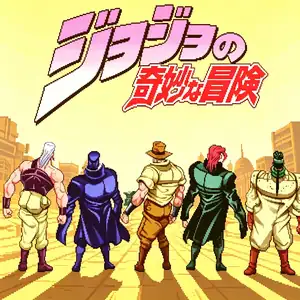
JoJo's Venture is a 2D arcade fighting game developed by Capcom in 1998 for the CPS-3 arcade hardware. JoJo's Venture is the overseas title; an enhanced updated version named Heritage for the Future was released afterward. It is adapted from Hirohiko Araki’s manga *JoJo's Bizarre Adventure: Stardust Crusaders*, created by the same team behind Street Fighter III, with Araki participating in art consultation. The story follows Jotaro Kujo and his companions on their cross-continental journey to stop DIO and save Jotaro’s mother Holly. It introduced the revolutionary Stand system. A dedicated Stand button summons your Stand to fight alongside you. Each Stand has its own Stand gauge; once depleted, the Stand gets crushed and temporarily disabled. Every character’s Stand faithfully replicates unique abilities from the manga. It uses a six-button fighting layout, with classic Capcom mechanics including super meter, guard cancel, rolls and hit clashes. The game includes single-player story campaign and 2-player versus mode. Its bold art faithfully reproduces Araki’s manga style with comic panel visual effects. It is a groundbreaking fighting game adaptation, later ported to PS1 and Dreamcast, and re-released as an HD remaster in 2012.
- Release year
- 1998
- Developer
- Players
- Single player
- Supported languages
- English
FAQ
- How can I play JoJo's Venture?
- You can play JoJo's Venture online for free right in your browser on 8BitGo. No download or emulator installation is required.
- What platform is JoJo's Venture?
- 8BitGo classifies this version as Arcade. That describes how it runs here and may differ from the game's original release platform. You can play it directly in the browser.
- Can I save my progress in JoJo's Venture?
- Save support depends on how this game runs. Quick saves and cloud saves are available only when the player toolbar shows a save control; otherwise use the game's own save feature.
- Does JoJo's Venture work on mobile?
- It depends on the game. Check the controls on this page: games with on-screen buttons work on touch devices, while keyboard-and-mouse games are best played on desktop.
Controls
These are the default keys. Every arcade board has a different number of buttons and means different things by them. The rows above are buttons 1–6 on the board: on Neo Geo boards (The King of Fighters and friends) A/B/C/D are buttons 1–4, Metal Slug uses only 1, 2 and 4 (shoot / jump / grenade), and Pac-Man uses none at all. Six-button fighters with three punches and three kicks (Street Fighter II and the like) get a different layout from the core: light punch U, medium punch I, heavy punch Q, light kick J, medium kick K, heavy kick E. Click the gamepad icon 🎮 in the player toolbar, then “Remap keys” to open the emulator’s own control settings (keyboard and gamepad, saved automatically). Gamepads are detected automatically. On phones you get on-screen buttons.
D-Pad
W S A D
Button 1
J
Button 2
K
Button 3
U
Button 4
I
Button 5
E
Button 6
Q
Insert coin
V
Start
Enter
Quick save
F2
Quick load
F4
You might also like
Same platform, same genre, or from the same developer
Cadillacs and Dinosaurs
 ARCADE
JoJo's Bizarre Adventure: Heritage for the Future
 ARCADE
Warriors of Fate
 ARCADE
Marvel Super Heroes vs Street Fighter
 ARCADE
Street Fighter Alpha 3
.webp) ARCADE
ARCADESuper Street Fighter II Turbo
 GBA
GBAPhoenix Wright: Ace Attorney
 ARCADE