
Checking this game’s age requirement…
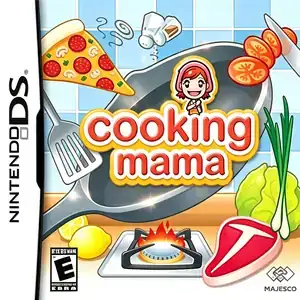
Cooking Mama
About this game
Cooking Mama (クッキングママ) is a cooking simulation minigame collection developed by Office Create, released March 23, 2006 for Nintendo DS. Published by Taito in Japan, Majesco in North America and 505 Games in Europe, it is the first entry of the Cooking Mama franchise and a landmark touchscreen casual title for NDS, winning E3 2006 best game award. Fully utilizing the DS touchscreen and stylus, players follow Mama’s instructions to finish kitchen tasks: chopping, stirring, frying, kneading and plating. Each recipe is split into quick timed minigame segments. Players earn gold, silver or bronze medals based on performance and unlock more dishes. Even mistakes get gentle encouragement without instant game over, making it accessible for all ages. It uses warm hand-drawn art and cheerful background music with dual-screen layout. Original release includes Japanese and English text. Fan Chinese translated ROMs circulate domestically and are playable on real NDS flash carts or emulators, a beloved cozy cooking sim for Nintendo DS.
- Release year
- 2006
- Developer
- Players
- Single player
- Supported languages
- 简体中文 · English · 日本語
FAQ
- How can I play Cooking Mama?
- You can play Cooking Mama online for free right in your browser on 8BitGo. No download or emulator installation is required.
- What platform is Cooking Mama?
- 8BitGo classifies this version as Nintendo DS. That describes how it runs here and may differ from the game's original release platform. You can play it directly in the browser.
- Can I save my progress in Cooking Mama?
- Save support depends on how this game runs. Quick saves and cloud saves are available only when the player toolbar shows a save control; otherwise use the game's own save feature.
- Does Cooking Mama work on mobile?
- It depends on the game. Check the controls on this page: games with on-screen buttons work on touch devices, while keyboard-and-mouse games are best played on desktop.
Controls
These are the default keys. Click the gamepad icon 🎮 in the player toolbar, then “Remap keys” to open the emulator’s own control settings (keyboard and gamepad, saved automatically). Gamepads are detected automatically. On phones you get on-screen buttons.
D-Pad
W S A D
A
K
B
J
X
I
Y
U
L
Q
R
E
Start
Enter
Select
Shift
Quick save
F2
Quick load
F4
You might also like
Same platform, same genre, or from the same developer
 NDS
NDSCooking Mama 2: Dinner With Friends
 NDS
NDSPlants vs. Zombies
 NDS
NDSGrand Theft Auto: Chinatown Wars
 NDS
NDSPokémon HeartGold
 NDS
NDSPokémon White
 NDS
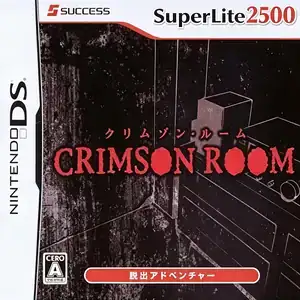
NDSCrimson Room
 NDS
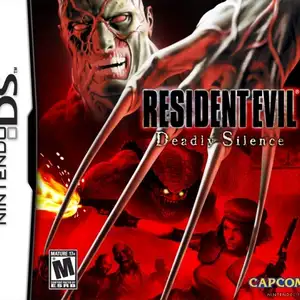
NDSResident Evil: Deadly Silence
 NDS
NDS