
Checking this game’s age requirement…
Binary Land
About this game
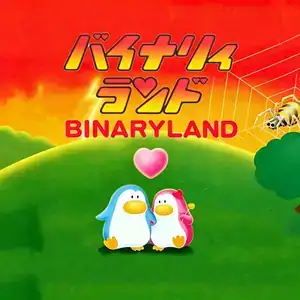
Binary Land, known to Chinese retro gamers as Mr. Penguin or Penguin and Spider, is a top-down action puzzle game developed and published by Hudson Soft, released for Famicom in November 1985. Two penguin lovers Gurin (male) and Malon (female) are separated by a maze. Your goal is to guide both penguins to reach the heart-shaped goal at the top of the screen and reunite them. Its groundbreaking core mechanic is mirrored dual-character control. When pressing up or down, both penguins move in the same direction. Left and right inputs make them move in opposite mirrored directions. Players can fire spray to defeat spiders. Spider webs trap penguins; you have to navigate the other penguin around to break the web and rescue the trapped partner. Fireballs and position-swapping birds also pose threats. Touching enemies or running out of time costs a life. There are 17 main stages. After clearing all stages, the game loops with harder layouts and enemies. Background music uses Erik Satie’s Je te veux, and Ode to Joy plays when the two penguins meet. Widely included on Chinese Subor multicarts, its unique mirrored control makes it a beloved Famicom puzzle gem. A rare special wedding edition made for Hudson staff is highly sought after among game collectors.
- Release year
- 1985
- Developer
- Players
- 2 players
- Supported languages
- 简体中文 · English
FAQ
- How can I play Binary Land?
- You can play Binary Land online for free right in your browser on 8BitGo. No download or emulator installation is required.
- What platform is Binary Land?
- 8BitGo classifies this version as NES (Famicom). That describes how it runs here and may differ from the game's original release platform. You can play it directly in the browser.
- Can I save my progress in Binary Land?
- Save support depends on how this game runs. Quick saves and cloud saves are available only when the player toolbar shows a save control; otherwise use the game's own save feature.
- Does Binary Land work on mobile?
- It depends on the game. Check the controls on this page: games with on-screen buttons work on touch devices, while keyboard-and-mouse games are best played on desktop.
Controls
These are the default keys. Click the gamepad icon 🎮 in the player toolbar, then “Remap keys” to open the emulator’s own control settings (keyboard and gamepad, saved automatically). Gamepads are detected automatically. On phones you get on-screen buttons.
D-Pad
W S A D
A
K
B
J
Start
Enter
Select
Shift
Quick save
F2
Quick load
F4
You might also like
Same platform, same genre, or from the same developer
 NES
NESNuts & Milk
 NES
NESSuper Mario Bros.
Contra
 NES
NESSuper Mario Bros.3
 NES
NESTeenage Mutant Ninja Turtles III: The Manhattan Project
 NES
NESCircus Charlie
 NES
NESRoad Fighter
 NES
NES