
Checking this game’s age requirement…
Asphalt Urban GT
About this game
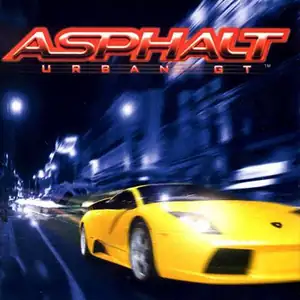
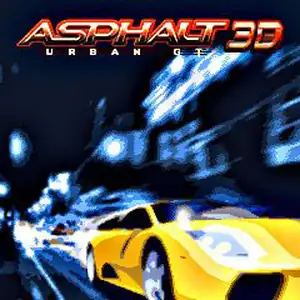
Asphalt: Urban GT is Gameloft’s arcade street‑racing title released November 2004 for J2ME, N‑Gage and NDS, serving as the original debut entry of the long‑running Asphalt franchise. The J2ME build uses 2.5D graphics with multi‑resolution variants for keypad‑based Java feature phones; a separate hardware‑accelerated 3D edition was released for high‑end devices. It establishes the series’ core gameplay loop: drifting, rival takedowns and airborne stunts charge the nitro gauge for high‑speed bursts. Police pursuit mechanics had not yet been introduced in this first entry, focusing purely on underground street competition. Championship career mode grants prize money to unlock over ten officially‑licensed sports cars including Audi TT, Dodge Viper and Lamborghini, with basic performance tuning available. Event types include standard races, time trials and one‑on‑one duels across nine global city circuits such as Paris, New York, London and Tokyo. Keypad controls and Bluetooth local two‑player multiplayer are supported. Fan‑made Chinese JAR builds circulated widely domestically and are playable via Java emulators, marking the foundational title of street‑racing games on feature phones.
- Release year
- 2004
- Developer
- Players
- Single player
- Supported languages
- 简体中文
FAQ
- How can I play Asphalt Urban GT?
- You can play Asphalt Urban GT online for free right in your browser on 8BitGo. No download or emulator installation is required.
- What platform is Asphalt Urban GT?
- 8BitGo classifies this version as Java Mobile Games. That describes how it runs here and may differ from the game's original release platform. You can play it directly in the browser.
- Can I save my progress in Asphalt Urban GT?
- Save support depends on how this game runs. Quick saves and cloud saves are available only when the player toolbar shows a save control; otherwise use the game's own save feature.
- Does Asphalt Urban GT work on mobile?
- It depends on the game. Check the controls on this page: games with on-screen buttons work on touch devices, while keyboard-and-mouse games are best played on desktop.
Controls
These are the default keys. These keys are fixed by FreeJ2ME; what each one does inside a game is up to the game. There are no on-screen buttons on phones, so you will need a keyboard or a gamepad. This engine has no rebinding menu. Gamepads are detected automatically.
D-Pad
↑ ↓ ← →
Confirm / fire
Enter
Number keys
0 – 9
Left soft key
F1
Right soft key
F2
You might also like
Same platform, same genre, or from the same developer
 JAVA
JAVAAsphalt 6: Adrenaline
 JAVA
JAVAAsphalt 4: Elite Racing
 JAVA
JAVAAsphalt:Nitro
 JAVA
JAVAAsphalt3: Street Rules 3D
 JAVA
JAVAAsphalt3: Street Rules
 JAVA
JAVAAsphalt: Urban GT 2
 JAVA
JAVAAsphalt Urban GT 3D
 JAVA
JAVA