
Die Altersanforderung dieses Spiels wird geprüft…
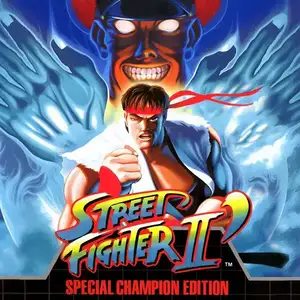
Street Fighter II': Champion Edition
Über dieses Spiel
Street Fighter II': Champion Edition (known as Street Fighter II Dash in Japan, also called 12-character Street Fighter by Chinese players) is an arcade fighting game developed and released by Capcom in 1992. It is the first major upgraded version of Street Fighter II: The World Warrior, running on the CPS1 arcade hardware. The biggest update is making the four Shadaloo boss characters, M.Bison, Balrog, Sagat and Vega, playable. The character roster expands from 8 to 12 fighters. Mirror matches are supported for the first time, allowing two players to pick the same character with alternative colour palettes to tell them apart. Capcom also rebalanced moves and hitboxes for the original eight fighters, adjusted background art and colours, and refined core fighting mechanics such as combos and hit stun. The game keeps the iconic six-button control layout. Players take control of fighters from all over the world and compete in an international martial arts tournament using special moves and combos. Champion Edition flooded arcades across China and became the most well-known Street Fighter II version for local players. It pushed the global arcade fighting boom of the 90s to new heights and laid the foundation for early competitive fighting games. It was later ported to home consoles including SNES and Sega Mega Drive.
- Erscheinungsjahr
- 1990
- Entwickler
- Spieler
- 2 Spieler
- Unterstützte Sprachen
- English
Häufige Fragen
- Wie kann ich Street Fighter II': Champion Edition spielen?
- Du kannst Street Fighter II': Champion Edition kostenlos und online direkt in deinem Browser auf 8BitGo spielen. Es ist kein Download oder Emulator nötig.
- Für welche Plattform ist Street Fighter II': Champion Edition?
- 8BitGo ordnet diese Version als Arcade ein. Das beschreibt die Laufzeit auf dieser Website und kann von der ursprünglichen Veröffentlichungsplattform abweichen. Du kannst direkt im Browser spielen.
- Kann ich meinen Fortschritt in Street Fighter II': Champion Edition speichern?
- Die Speicherfunktion hängt von der Laufzeit des Spiels ab. Schnell- und Cloud-Speichern sind nur verfügbar, wenn die Spielerleiste eine Speicherfunktion zeigt; andernfalls nutze die Speicherfunktion des Spiels.
- Funktioniert Street Fighter II': Champion Edition auf dem Handy?
- Das hängt vom Spiel ab. Prüfe die Steuerung auf dieser Seite: Spiele mit Bildschirmtasten funktionieren per Touch, Spiele mit Tastatur und Maus am besten am Computer.
Steuerung
Das sind die Standardtasten. Jedes Arcade-Board hat unterschiedlich viele Tasten und meint Unterschiedliches damit. Oben stehen die Tasten 1–6 des Boards: auf Neo Geo (The King of Fighters und Co.) sind A/B/C/D die Tasten 1–4, Metal Slug nutzt nur 1, 2 und 4 (Schuss / Sprung / Granate), und Pac-Man gar keine. Sechs-Tasten-Prügler mit drei Schlägen und drei Tritten (etwa Street Fighter II) bekommen vom Kern ein anderes Layout: leichter Schlag U, mittlerer Schlag I, schwerer Schlag Q, leichter Tritt J, mittlerer Tritt K, schwerer Tritt E. Klicke im Player auf das Gamepad-Symbol 🎮 und dann auf „Tasten belegen“, um die Tastenbelegung des Emulators zu öffnen (Tastatur und Gamepad, wird automatisch gespeichert). Gamepads werden automatisch erkannt. Auf dem Handy bekommst du Bildschirmtasten.
Steuerkreuz
W S A D
Taste 1
J
Taste 2
K
Taste 3
U
Taste 4
I
Taste 5
E
Taste 6
Q
Münze einwerfen
V
Start
Enter
Schnellspeichern
F2
Schnellladen
F4
Das könnte dir auch gefallen
Gleiche Plattform, gleiches Genre oder vom selben Entwickler
 DOS
DOSAge of Empires
 NES
NESSuper Mario Bros.3
 NDS
NDSPlants vs. Zombies
 NES
NESCircus Charlie
 NES
NESGomoku Narabe Renju
 NDS
NDSGrand Theft Auto: Chinatown Wars
 GBA
GBAThe King of Fighters EX: Neo Blood
 ARCADE