
Die Altersanforderung dieses Spiels wird geprüft…
Plants vs. Zombies
Über dieses Spiel
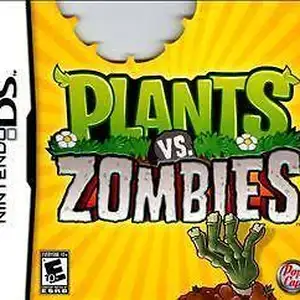
Plants vs. Zombies for Nintendo DS is a tower defense game developed by PopCap, released on January 18, 2011 in North America. It is the handheld port of the iconic Plants vs. Zombies. Players use the stylus to plant Peashooters, Wall-nuts, Cherry Bombs and other plants to defend the backyard from humorous zombies trying to eat your brains. It retains all core PC content including Adventure, Puzzle, Survival modes, Zen Garden and the Tree of Wisdom. This DS version adds local wireless Versus multiplayer, where two players fight each other as plants and zombies. It also features four exclusive minigames: Air Raid, Home Run Derby, Heat Wave and Bomb All Together, plus the new Trash Can Zombie and 14 unique achievements. It uses DS dual-screen layout: top screen displays the battlefield while the bottom screen handles plant card selection. It is slightly harder than PC version with a maximum of 9 seed slots. A cut-down DSiWare digital edition exists. Fan Chinese translation patch is available. It is a popular casual tower defense title on NDS.
- Erscheinungsjahr
- 1990
- Entwickler
- Spieler
- Einzelspieler
- Unterstützte Sprachen
- FR
Häufige Fragen
- Wie kann ich Plants vs. Zombies spielen?
- Du kannst Plants vs. Zombies kostenlos und online direkt in deinem Browser auf 8BitGo spielen. Es ist kein Download oder Emulator nötig.
- Für welche Plattform ist Plants vs. Zombies?
- Die Originalveröffentlichung von Plants vs. Zombies erschien für die Plattform Nintendo DS. Auf 8BitGo spielst du direkt im Browser ohne zusätzliche Einrichtung.
- Kann ich meinen Fortschritt in Plants vs. Zombies speichern?
- Ja. Die meisten Emulatoren auf 8BitGo unterstützen Schnellspeicherstände, und mit Login kannst du unterstützte Spielstände in der Cloud synchronisieren.
- Funktioniert Plants vs. Zombies auf dem Handy?
- Ja. 8BitGo passt sich an Touchgeräte an, mit Bildschirmsteuerung oder Unterstützung für Bluetooth-Gamepads.
Steuerung
Das sind die Standardtasten. Klicke im Player auf das Gamepad-Symbol 🎮 und dann auf „Tasten belegen“, um die Tastenbelegung des Emulators zu öffnen (Tastatur und Gamepad, wird automatisch gespeichert). Gamepads werden automatisch erkannt. Auf dem Handy bekommst du Bildschirmtasten.
Steuerkreuz
W S A D
A
K
B
J
X
I
Y
U
L
Q
R
E
Start
Enter
Select
Shift
Schnellspeichern
F2
Schnellladen
F4
Das könnte dir auch gefallen
Gleiche Plattform, gleiches Genre oder vom selben Entwickler
 NES
NESGomoku Narabe Renju
 HTML5
HTML5Taiko no Tatsujin:Web
 NES
NESSuper Mario Bros.3
 FLASH
FLASHGold Miner
 FLASH
FLASHFireboy & Watergirl 4: In the Crystal Temple
 FLASH
FLASHFireboy & Watergirl 3: In the Ice Temple
 NDS
NDSPokémon SoulSilver
 NDS
NDS