
Die Altersanforderung dieses Spiels wird geprüft…
Gomoku Narabe Renju
Über dieses Spiel
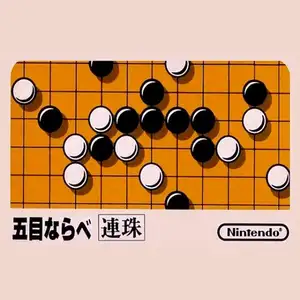
Gomoku (known as Five in a Row for Chinese retro players, Japanese: Gomoku Narabe) is a classic board game title on the Famicom. The most famous version is the official Nintendo Gomoku game. Based on traditional Japanese five-in-a-row rules, black and white players place stones in turns. The first player to connect five stones in a row horizontally, vertically or diagonally wins. It supports human vs AI and two-player local versus modes. Multiple AI difficulty tiers are available. Easy AI plays cautiously, while hard AI excels at defense, threats and double-three attacks, great for learning basic gomoku tactics. The UI is simple with a standard 15×15 board. You move the cursor to drop stones, and an undo function supports reviewing moves. Lacking flashy visuals, it focuses entirely on turn-based board strategy. Included on many Subor multicarts in China, it introduced countless players to Gomoku. It is one of the few pure puzzle & board games on the Famicom.
- Erscheinungsjahr
- 1990
- Entwickler
- Spieler
- 2 Spieler
- Unterstützte Sprachen
- 简体中文 · English · 日本語
Häufige Fragen
- Wie kann ich Gomoku Narabe Renju spielen?
- Du kannst Gomoku Narabe Renju kostenlos und online direkt in deinem Browser auf 8BitGo spielen. Es ist kein Download oder Emulator nötig.
- Für welche Plattform ist Gomoku Narabe Renju?
- 8BitGo ordnet diese Version als NES (Famicom) ein. Das beschreibt die Laufzeit auf dieser Website und kann von der ursprünglichen Veröffentlichungsplattform abweichen. Du kannst direkt im Browser spielen.
- Kann ich meinen Fortschritt in Gomoku Narabe Renju speichern?
- Die Speicherfunktion hängt von der Laufzeit des Spiels ab. Schnell- und Cloud-Speichern sind nur verfügbar, wenn die Spielerleiste eine Speicherfunktion zeigt; andernfalls nutze die Speicherfunktion des Spiels.
- Funktioniert Gomoku Narabe Renju auf dem Handy?
- Das hängt vom Spiel ab. Prüfe die Steuerung auf dieser Seite: Spiele mit Bildschirmtasten funktionieren per Touch, Spiele mit Tastatur und Maus am besten am Computer.
Steuerung
Das sind die Standardtasten. Klicke im Player auf das Gamepad-Symbol 🎮 und dann auf „Tasten belegen“, um die Tastenbelegung des Emulators zu öffnen (Tastatur und Gamepad, wird automatisch gespeichert). Gamepads werden automatisch erkannt. Auf dem Handy bekommst du Bildschirmtasten.
Steuerkreuz
W S A D
A
K
B
J
Start
Enter
Select
Shift
Schnellspeichern
F2
Schnellladen
F4
Das könnte dir auch gefallen
Gleiche Plattform, gleiches Genre oder vom selben Entwickler
 DOS
DOSAge of Empires
 NES
NESSuper Mario Bros.3
 NDS
NDSPlants vs. Zombies
 NES
NESCircus Charlie
 NDS
NDSGrand Theft Auto: Chinatown Wars
 GBA
GBAThe King of Fighters EX: Neo Blood
 ARCADE
Knights of the Round
 NES
NES