
Die Altersanforderung dieses Spiels wird geprüft…
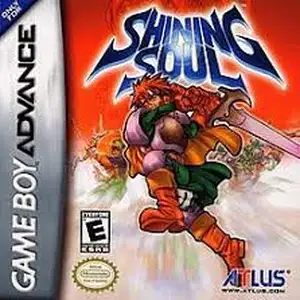
Shining Soul
Über dieses Spiel
Shining Soul is a top-down action RPG for Game Boy Advance, developed by Nextech and published by SEGA, released on March 28, 2002. It belongs to SEGA’s classic Shining franchise. Set in the fantasy land of Runefaust, the destructive Dark Dragon has returned. Players pick one of four classes: Warrior, Wizard, Archer and Dragonute, embarking on an adventure to defeat the Dark Dragon and his five dark generals. It features real-time hack-and-slash dungeon crawling. Gain EXP from monsters to level up, allocate stats freely and unlock unique skills. The game has randomized loot drops and a soulstone weapon forging system; weapons absorb souls from defeated foes to evolve. Its highlight is multiplayer support, up to four players can team up via GBA link cable for dungeon exploration and looting, with exclusive rare monsters in co-op mode. It features pixel sprite graphics, varied dungeons and epic boss fights, with built-in save function. Fan Chinese translation patch is available. Known as a portable mini Diablo, it is a classic loot-based action RPG on GBA.
- Erscheinungsjahr
- 1990
- Entwickler
- Spieler
- Einzelspieler
- Unterstützte Sprachen
- 简体中文 · English · 日本語 · Français · Deutsch · Español · Italiano
Häufige Fragen
- Wie kann ich Shining Soul spielen?
- Du kannst Shining Soul kostenlos und online direkt in deinem Browser auf 8BitGo spielen. Es ist kein Download oder Emulator nötig.
- Für welche Plattform ist Shining Soul?
- 8BitGo ordnet diese Version als Game Boy Advance ein. Das beschreibt die Laufzeit auf dieser Website und kann von der ursprünglichen Veröffentlichungsplattform abweichen. Du kannst direkt im Browser spielen.
- Kann ich meinen Fortschritt in Shining Soul speichern?
- Die Speicherfunktion hängt von der Laufzeit des Spiels ab. Schnell- und Cloud-Speichern sind nur verfügbar, wenn die Spielerleiste eine Speicherfunktion zeigt; andernfalls nutze die Speicherfunktion des Spiels.
- Funktioniert Shining Soul auf dem Handy?
- Das hängt vom Spiel ab. Prüfe die Steuerung auf dieser Seite: Spiele mit Bildschirmtasten funktionieren per Touch, Spiele mit Tastatur und Maus am besten am Computer.
Steuerung
Das sind die Standardtasten. Klicke im Player auf das Gamepad-Symbol 🎮 und dann auf „Tasten belegen“, um die Tastenbelegung des Emulators zu öffnen (Tastatur und Gamepad, wird automatisch gespeichert). Gamepads werden automatisch erkannt. Auf dem Handy bekommst du Bildschirmtasten.
Steuerkreuz
W S A D
A
K
B
J
L
Q
R
E
Start
Enter
Select
Shift
Schnellspeichern
F2
Schnellladen
F4
Das könnte dir auch gefallen
Gleiche Plattform, gleiches Genre oder vom selben Entwickler
 DOS
DOSAge of Empires
 NES
NESSuper Mario Bros.3
 NDS
NDSPlants vs. Zombies
 NES
NESCircus Charlie
 NES
NESGomoku Narabe Renju
 NDS
NDSGrand Theft Auto: Chinatown Wars
 GBA
GBAThe King of Fighters EX: Neo Blood
 ARCADE