
Die Altersanforderung dieses Spiels wird geprüft…
Galaga
Über dieses Spiel
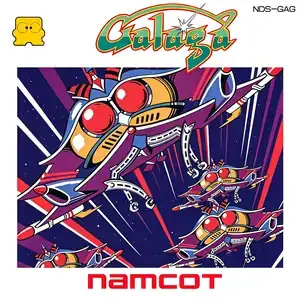
Galaga (Japanese: ギャラガ) is a fixed-screen vertical shoot 'em up developed by Namco. It originally launched in arcades in 1981 and was ported to the Famicom in 1985. It is the direct sequel to Galaxian and one of the defining space shooters of arcade’s golden age. Players control a starship at the bottom of the screen, moving only left and right and firing shots to eliminate alien insect enemies in formation. Foes either stay in formation or dive along curved flight paths while firing projectiles. Its most famous feature: large boss aliens fire tractor beams to capture your fighter. If you defeat the alien holding your captured ship, the rescued fighter merges with yours into a dual fighter with doubled firepower. The tradeoff is a wider hitbox; one single hit destroys both ships. Every several stages are challenge stages, where enemies perform flight patterns without shooting, letting players rack up bonus points. Clear all foes on screen to proceed. The game loops endlessly with faster enemy dives and denser bullets. Extra ships are awarded at score milestones. Two players can take turns playing. The Famicom port faithfully preserves core gameplay and sound with simplified graphics adapted for the hardware. Widely included on Subor multicarts in China, its unique ship capture and dual fighter mechanic makes it a beloved classic space shooter for retro gamers.
- Erscheinungsjahr
- 1990
- Entwickler
- Spieler
- Einzelspieler
- Unterstützte Sprachen
- 简体中文 · English · 日本語
Häufige Fragen
- Wie kann ich Galaga spielen?
- Du kannst Galaga kostenlos und online direkt in deinem Browser auf 8BitGo spielen. Es ist kein Download oder Emulator nötig.
- Für welche Plattform ist Galaga?
- 8BitGo ordnet diese Version als NES (Famicom) ein. Das beschreibt die Laufzeit auf dieser Website und kann von der ursprünglichen Veröffentlichungsplattform abweichen. Du kannst direkt im Browser spielen.
- Kann ich meinen Fortschritt in Galaga speichern?
- Die Speicherfunktion hängt von der Laufzeit des Spiels ab. Schnell- und Cloud-Speichern sind nur verfügbar, wenn die Spielerleiste eine Speicherfunktion zeigt; andernfalls nutze die Speicherfunktion des Spiels.
- Funktioniert Galaga auf dem Handy?
- Das hängt vom Spiel ab. Prüfe die Steuerung auf dieser Seite: Spiele mit Bildschirmtasten funktionieren per Touch, Spiele mit Tastatur und Maus am besten am Computer.
Steuerung
Das sind die Standardtasten. Klicke im Player auf das Gamepad-Symbol 🎮 und dann auf „Tasten belegen“, um die Tastenbelegung des Emulators zu öffnen (Tastatur und Gamepad, wird automatisch gespeichert). Gamepads werden automatisch erkannt. Auf dem Handy bekommst du Bildschirmtasten.
Steuerkreuz
W S A D
A
K
B
J
Start
Enter
Select
Shift
Schnellspeichern
F2
Schnellladen
F4
Das könnte dir auch gefallen
Gleiche Plattform, gleiches Genre oder vom selben Entwickler
 DOS
DOSAge of Empires
 NES
NESSuper Mario Bros.3
 NDS
NDSPlants vs. Zombies
 NES
NESCircus Charlie
 NES
NESGomoku Narabe Renju
 NDS
NDSGrand Theft Auto: Chinatown Wars
 GBA
GBAThe King of Fighters EX: Neo Blood
 ARCADE