
Die Altersanforderung dieses Spiels wird geprüft…
Antarctic Adventure
Über dieses Spiel
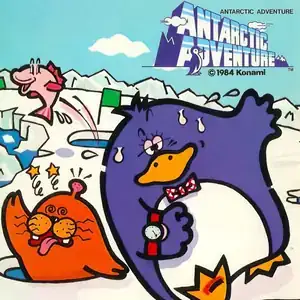
Antarctic Adventure (Japanese: Kekkyoku Nankyoku Daibōken) is a pseudo-3D rear-view racing action game developed and published by Konami. It originally launched for MSX in 1983 and was ported to Famicom in 1985. Players control Penta the penguin, Konami’s classic mascot character. The goal is to arrive at successive international research stations scattered across Antarctica before the timer runs out, completing a voyage around the continent. Using a trailing third-person perspective, up and down adjust speed, left and right move horizontally, and A/B buttons trigger jumps. The path is filled with ice crevasses and sea lions leaping from holes. Collisions make Penta stumble and lose precious time. There is no health system; the game only ends once the timer hits zero. Collect jumping fish for bonus points. Flashing flags grant a temporary propeller power-up to fly over gaps. There are 10 stages, each representing a different nation’s polar base, with the corresponding national flag raised upon arrival. After clearing all ten levels, the game loops into a harder second cycle with shorter time limits. Its soundtrack uses the famous Skater’s Waltz, a catchy timeless tune. Originally designed with geography education in mind, it was widely included on Subor multicarts and remains one of the most recognizable nostalgic Famicom games among Chinese retro gamers.
- Erscheinungsjahr
- 1990
- Entwickler
- Spieler
- Einzelspieler
- Unterstützte Sprachen
- 简体中文 · English · Español
Häufige Fragen
- Wie kann ich Antarctic Adventure spielen?
- Du kannst Antarctic Adventure kostenlos und online direkt in deinem Browser auf 8BitGo spielen. Es ist kein Download oder Emulator nötig.
- Für welche Plattform ist Antarctic Adventure?
- 8BitGo ordnet diese Version als NES (Famicom) ein. Das beschreibt die Laufzeit auf dieser Website und kann von der ursprünglichen Veröffentlichungsplattform abweichen. Du kannst direkt im Browser spielen.
- Kann ich meinen Fortschritt in Antarctic Adventure speichern?
- Die Speicherfunktion hängt von der Laufzeit des Spiels ab. Schnell- und Cloud-Speichern sind nur verfügbar, wenn die Spielerleiste eine Speicherfunktion zeigt; andernfalls nutze die Speicherfunktion des Spiels.
- Funktioniert Antarctic Adventure auf dem Handy?
- Das hängt vom Spiel ab. Prüfe die Steuerung auf dieser Seite: Spiele mit Bildschirmtasten funktionieren per Touch, Spiele mit Tastatur und Maus am besten am Computer.
Steuerung
Das sind die Standardtasten. Klicke im Player auf das Gamepad-Symbol 🎮 und dann auf „Tasten belegen“, um die Tastenbelegung des Emulators zu öffnen (Tastatur und Gamepad, wird automatisch gespeichert). Gamepads werden automatisch erkannt. Auf dem Handy bekommst du Bildschirmtasten.
Steuerkreuz
W S A D
A
K
B
J
Start
Enter
Select
Shift
Schnellspeichern
F2
Schnellladen
F4
Das könnte dir auch gefallen
Gleiche Plattform, gleiches Genre oder vom selben Entwickler
 DOS
DOSAge of Empires
 NES
NESSuper Mario Bros.3
 NDS
NDSPlants vs. Zombies
 NES
NESCircus Charlie
 NES
NESGomoku Narabe Renju
 NDS
NDSGrand Theft Auto: Chinatown Wars
 GBA
GBAThe King of Fighters EX: Neo Blood
 ARCADE