
Comprobando el requisito de edad de este juego…
Sobre este juego
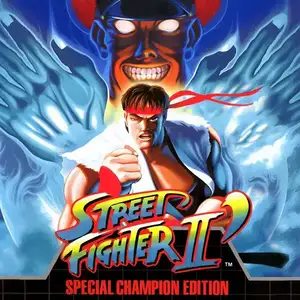
Street Fighter II': Champion Edition (known as Street Fighter II Dash in Japan, also called 12-character Street Fighter by Chinese players) is an arcade fighting game developed and released by Capcom in 1992. It is the first major upgraded version of Street Fighter II: The World Warrior, running on the CPS1 arcade hardware. The biggest update is making the four Shadaloo boss characters, M.Bison, Balrog, Sagat and Vega, playable. The character roster expands from 8 to 12 fighters. Mirror matches are supported for the first time, allowing two players to pick the same character with alternative colour palettes to tell them apart. Capcom also rebalanced moves and hitboxes for the original eight fighters, adjusted background art and colours, and refined core fighting mechanics such as combos and hit stun. The game keeps the iconic six-button control layout. Players take control of fighters from all over the world and compete in an international martial arts tournament using special moves and combos. Champion Edition flooded arcades across China and became the most well-known Street Fighter II version for local players. It pushed the global arcade fighting boom of the 90s to new heights and laid the foundation for early competitive fighting games. It was later ported to home consoles including SNES and Sega Mega Drive.
- Año de lanzamiento
- 1990
- Desarrolladora
- Jugadores
- 2 jugadores
- Idiomas compatibles
- English
Preguntas frecuentes
- ¿Cómo puedo jugar a Street Fighter II': Champion Edition?
- Puedes jugar a Street Fighter II': Champion Edition en línea y gratis directamente en tu navegador en 8BitGo. No necesitas descargar nada ni instalar ningún emulador.
- ¿En qué plataforma es Street Fighter II': Champion Edition?
- 8BitGo clasifica esta versión como Arcade. Esto describe cómo se ejecuta aquí y puede diferir de la plataforma de lanzamiento original. Puedes jugar directamente en el navegador.
- ¿Puedo guardar mi progreso en Street Fighter II': Champion Edition?
- La posibilidad de guardar depende de cómo se ejecute el juego. El guardado rápido y en la nube solo está disponible si la barra del reproductor muestra un control de guardado; si no, usa el guardado propio del juego.
- ¿Funciona Street Fighter II': Champion Edition en el móvil?
- Depende del juego. Consulta los controles de esta página: los juegos con botones en pantalla funcionan con tacto, mientras que los de teclado y ratón se disfrutan mejor en un ordenador.
Controles
Estas son las teclas predeterminadas. Cada placa recreativa tiene un número de botones distinto y les da un sentido distinto. Arriba están los botones 1 a 6 de la placa: en Neo Geo (The King of Fighters y compañía) A/B/C/D son los botones 1 a 4, Metal Slug solo usa 1, 2 y 4 (disparo / salto / granada), y Pac-Man no usa ninguno. Los juegos de lucha de seis botones con tres puños y tres patadas (Street Fighter II, por ejemplo) reciben otra disposición del núcleo: puño flojo U, puño medio I, puño fuerte Q, patada floja J, patada media K, patada fuerte E. Haz clic en el icono de mando 🎮 de la barra del reproductor y luego en «Reasignar teclas» para abrir la configuración de controles del emulador (teclado y mando, se guarda automáticamente). Si conectas un mando, se detecta solo. En el teléfono aparecen botones en pantalla.
Cruceta
W S A D
Botón 1
J
Botón 2
K
Botón 3
U
Botón 4
I
Botón 5
E
Botón 6
Q
Insertar moneda
V
Start
Enter
Guardado rápido
F2
Carga rápida
F4
También te puede gustar
Misma plataforma, mismo género o de la misma desarrolladora
 DOS
DOSAge of Empires
 NES
NESSuper Mario Bros.3
 NDS
NDSPlants vs. Zombies
 NES
NESCircus Charlie
 NES
NESGomoku Narabe Renju
 NDS
NDSGrand Theft Auto: Chinatown Wars
 GBA
GBAThe King of Fighters EX: Neo Blood
 ARCADE